





AI-Powered COI Tracking

COI Tracking Software built to reduce risk

Move from reactive Certificate of Insurance (COI) tracking to proactive risk management.


COI tracking software is a tool that automates the collection, review, and renewal of certificates of insurance from vendors, subcontractors, and other third parties.


PINS gives internal teams the structure to manage compliance in-house, automating follow-up and AI-assisted review, while keeping approvals, exceptions, and final decisions with your team.

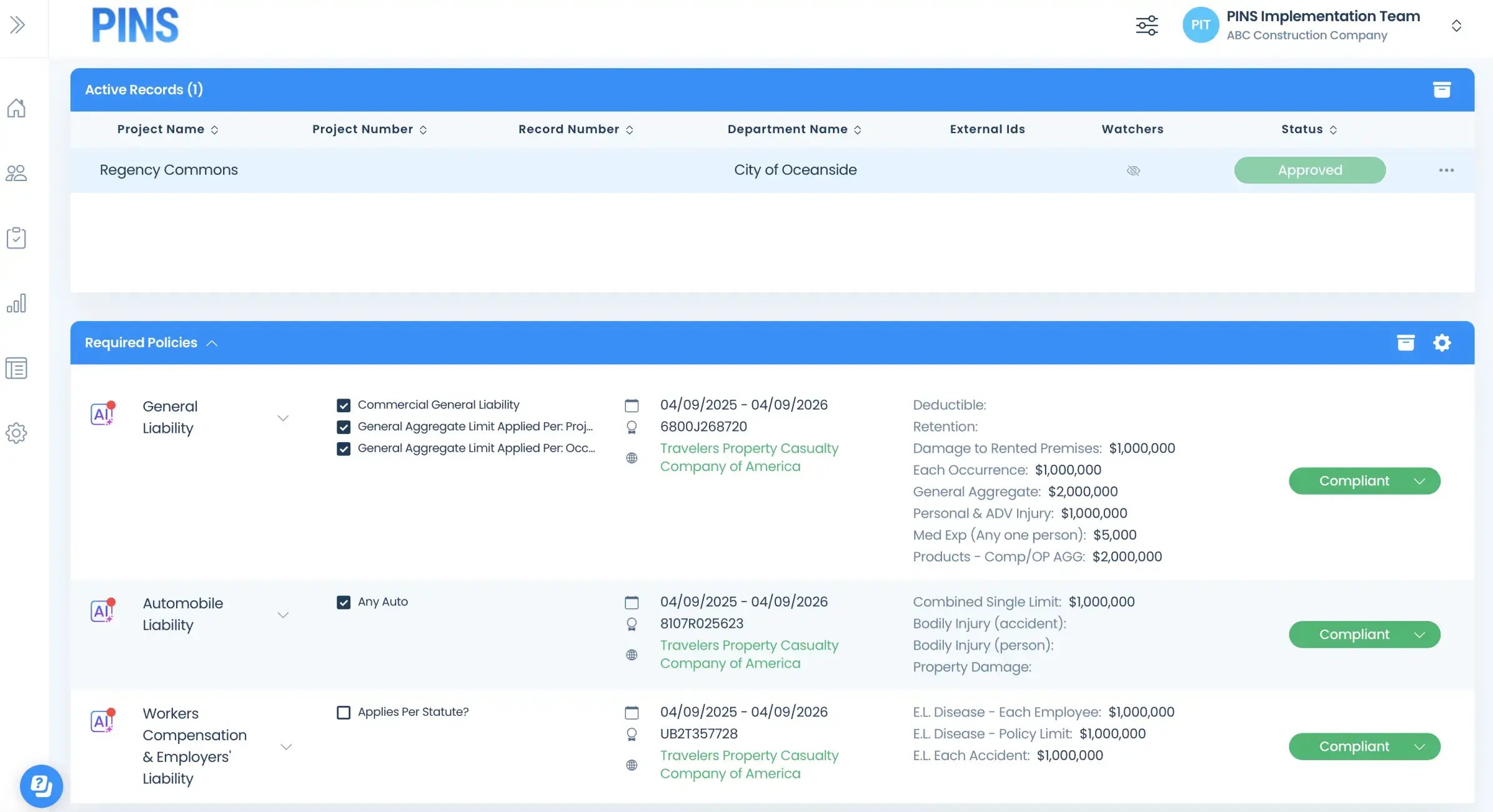
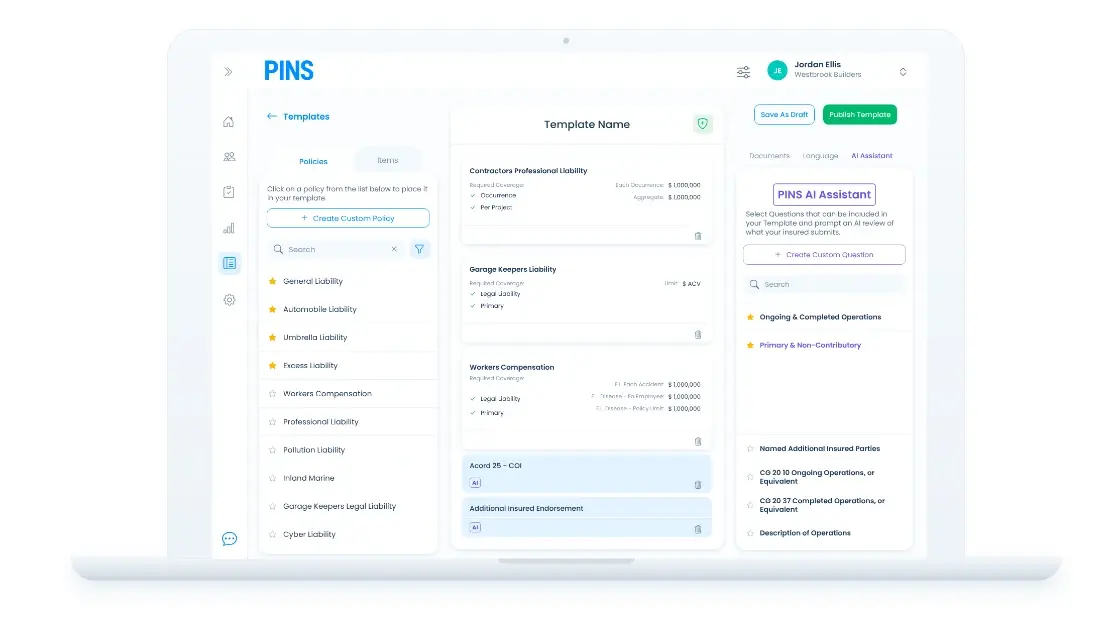
COI Compliance dashboard on laptop
Outcomes

What better compliance looks like

When vendors stay compliant, COI tracking becomes a way to reduce risk, recover time, and improve visibility.
  • 80%+
    compliance in first 60 days
  • 90% less
    time chasing COIs and reviewing
  • 5–15%
    reduction in premiums
Compare Approaches

Three ways teams manage COI tracking

Most teams start manual. Some eventually outsource. The strongest programs use automated, self-service software to keep control as volume grows.

Manual

Spreadsheets and inbox follow-ups, fine until volume rises.

Best for: Low COI volume and simple requirements

  • Late expiration discovery
  • Constant chasing and email threads
  • Low compliance visibility across org
Tradeoff:
Control:
Speed:
Transparency:
Recommended

PINS

In-house control, automated follow-up, faster compliance.

Best for: Teams that want automation while keeping control

  • Automated renewal outreach and reminders
  • Real-time compliance dashboard by project
  • OCR and AI-powered review
  • You retain control over final compliance decisions
Tradeoff:
Control:
Speed:
Transparency:

Full Service

Admin relief, but you trade speed and control.

Best for: Teams prioritizing admin relief over control

  • Decisions happen outside your team
  • Slow communication and approvals delay work
  • High cost but limited transparency
Tradeoff:
Control:
Speed:
Transparency:

How PINS Works

One Upload. Continuous Compliance.

Upload a contract once and PINS builds the compliance workflow. AI reads submissions against your requirements, flags gaps, and helps your team review faster. You stay in control of every approval.
Initial Setup

PINS sets requirements and sends requests

AI reads the contract and builds the insurance requirements automatically. Emails are sent out requesting COIs and supporting documents from vendors and brokers.
Step 1

Vendor uploads documents

Vendors and brokers submit through a simple upload link. No login required.
Your team decides
Step 2

AI reviews. Your team approves.

PINS AI reviews each submission and flags gaps. Your team decides what happens next.
Step 3

PINS requests renewals

Automated reminders and follow-up requests keep compliance current. The cycle repeats at every renewal.

Testimonials

What customers say about PINS

See how teams use PINS to save time, improve visibility, and keep compliance under control.

The thing I love most about PINS is everything. It used to take us 2 days to send expired notices, but now I literally press a button and get all my expired notices done within 5 minutes. Our experience with PINS Customer Service has been outstanding, you can’t beat it!
Cyndia Ryan
Risk Manager, C.W. Driver
PINS creates transparency, everyone is on the same page with compliance items. What used to take 3 people is now done by 1 person, which freed them up to take on other key initiatives like safety compliance and SDI programs.
Kendall Thornley
Sr Risk Specialist, Morley Builders
Training has been simple, and the PINS team is pleasant and easy to work with.

The email automation tools help us keep up with a large volume of subcontractor communications, and the AI assistant helps us review insurance documents more efficiently.

Plus the support team is always quick to respond to technical issues and questions.
Judy Anderson
Office Manager, Kemp Bros
The PINS Team provided outstanding training, backed us with steady support and genuine attentiveness to detail in what we needed.

They made a noticeable difference in the overall success on moving forward with the PINS program.
Dina Ash
HR Administrator, South Orange County Wastewater Authority

FAQ

Common questions about COI tracking software

Get clear answers on how PINS works, what your team controls, and how the platform fits into your existing process.

What is COI tracking software?

COI tracking software manages the collection, review, and renewal of certificates of insurance from vendors, subcontractors, and other third parties. It replaces manual spreadsheet tracking with automated requests, expiration monitoring, and structured compliance review -- so teams can stay ahead of coverage gaps without constant follow-up. Organizations managing more than 100 vendors or subcontractors per year typically use dedicated software to keep compliance current at scale.

Who needs COI tracking software?

Any organization that requires vendors, subcontractors, tenants, or service providers to carry insurance needs a system to collect and verify that coverage. General contractors, public agencies, property managers, airports, and insurance agencies are the most common users. The tipping point is usually when manual tracking -- spreadsheets and email follow-up -- creates too much risk of missing expirations, endorsement gaps, or audit exposure.

What is the difference between in-house COI tracking and outsourced COI management?

In-house COI tracking means your team manages the compliance process using software that automates collection, review, and renewals. You keep control over approvals, exceptions, and waivers. Outsourced COI management means a third-party service handles document collection and review on your behalf. The tradeoff is less internal work but less visibility and slower resolution when exceptions or edge cases require context your team has and the outsourced reviewer does not.

Can we keep control over approvals and exceptions?

Yes. PINS is self-service software, not a managed service. Your team sets the requirements, reviews flagged issues, and makes every final compliance decision. Approvals, waivers, and exceptions are logged and tied to the vendor record so the history is there at renewal and audit time. The AI assists the review -- your team owns the outcome.

Does PINS work with Procore or Vista?

Yes. PINS has native integrations with Procore and Viewpoint Vista. For Procore, commitments flow into PINS, compliance status appears in Procore, and project managers get a direct link into PINS from their project view. For Vista, PINS supports AP vendor and subcontract workflows and can write compliance status back to vendor records. An open API is available for other integrations.

How fast can we get started?

Most teams are live within a week. PINS handles the setup by building out your requirements and workflows based on your contracts and process. Your team reviews and approves everything before requests go out. Ongoing support is handled by the same team that runs your implementation.

Stop Reviewing.

Start Approving.

Schedule Demo
Insured Profile Page showing insurance policies in compliant status-1