Integrations

Integrations that keep compliance in your workflow

PINS keeps compliance decisions in one place, while project and finance teams stay in the systems they already use.

Project teams see Approved or Not Approved inside Procore, where Procore Pay can use it before a payment goes out. Finance teams can control payment in Vista. Risk teams keep waiver history and policy checks in PINS.

Compliance where decisions happen

Keep teams in their workflow, without losing control

PINS keeps compliance decisions and history in one place, while project and finance teams stay in the tools they already use.

Project teams get clear status in Procore

Check compliance status where you manage work, and gate job site access without switching tools.

Finance can control payment in Vista

PINS writes compliance status back into Vista so payment controls happen in the accounting workflow, not in email threads.

Risk keeps the source of truth

Waiver history, exceptions, and policy checks stay tied to each third party so decisions stay consistent as volume grows.

Procore integration

COI compliance status inside Procore, tied to the commitment

PINS writes Approved or Not Approved status back to Procore in real time: to the project directory Insurance tab, and from there to each commitment's Compliance tab, the status Procore Pay checks before a payment goes out. Project teams also see status in the PINS side panel without leaving Procore. Commitments flow from Procore into PINS automatically.


See how the Procore integration works →

Vista integration

Compliance status written back to Vista for payment control

PINS tracks vendor and subcontractor compliance, then writes status back to Vista so AP and subcontract payment controls happen inside your accounting workflow. Supports AP Vendor and SL Subcontract levels, with flag-type and date-type compliance codes.


See how the Vista integration works →

API integration

Sync COI compliance data into the systems you already run

The PINS API is used to sync compliance status and related COI data between PINS and your internal systems. Most teams use it for reporting, operational workflows, and downstream enforcement, while PINS remains the system of record for insurance decisions and history.


Access is provided with API credentials. PINS supports integration design, provisioning sandbox environments, and troubleshooting during implementation.

Common API use cases

  • Sync vendor and third party compliance status into internal systems
  • Feed dashboards and reporting (Power BI and other BI tools)
  • Trigger operational workflows based on Approved or Not Approved status
  • Keep waiver and exception history attached to each third party for reference
  • Export structured compliance data for audits, renewals, and downstream workflows

Systems teams connect to PINS

  • GCPay
  • Autodesk Construction Cloud
  • Power BI (reporting and dashboards)
  • Workday
  • Tyler (Munis and New World)
  • COINS
  • PropWorks
  • Other internal data warehouses and finance or procurement tools
Credentials
Provided when API access is enabled
Primary use
Data sync between PINS and other systems
Implementation support
PINS assists with integration design and troubleshooting, including sandbox environments
Update frequency
Depends on integration design (real time or scheduled sync)

Integrations FAQ

Common questions

Evaluating PINS alongside other platforms? Download the Evaluation Checklist.

Which systems does PINS integrate with?

PINS integrates natively with Procore and Vista by Viewpoint. Through the PINS API, teams also connect PINS to systems like GCPay, Autodesk Construction Cloud, Power BI, Workday, Tyler (Munis and New World), COINS, PropWorks, and internal data warehouses. Those are common examples, not a complete list. If your team runs a different system, the PINS team can review how to connect it during implementation. PINS remains the system of record for insurance decisions and history, while project and finance teams see compliance status in the systems they already use.

Does PINS replace the compliance features in Procore or Vista?

No. PINS works alongside them. Procore and Vista store compliance status and use it in project and payment workflows. PINS handles the work that keeps that status accurate: collecting certificates, reviewing endorsements against your requirements, tracking expirations, and following up on renewals. Your team makes the final compliance decision in PINS, and the result writes back to the system your project or finance team already uses.

How does the PINS Procore integration work?

Commitments flow from Procore into PINS automatically. PINS collects and reviews COIs and endorsements against the requirements tied to each commitment, and your team makes the final compliance decision. Approved or Not Approved status writes back to Procore in real time: to the project directory Insurance tab, and from there to each commitment's Compliance tab, which Procore Pay checks before a payment goes out. Project managers also see status in the PINS side panel without leaving Procore. See how the Procore integration works.

How does the PINS Vista integration work?

AP Vendor and SL Subcontract records flow from Vista into PINS automatically. Once PINS reviews a submission and your team approves it, compliance status writes back to Vista at the AP Vendor level, the SL Subcontract level, or both. PINS supports both flag-type and date-type compliance codes, so payment controls in Vista reflect current compliance. See how the Vista integration works.

How long does integration setup take?

Most teams are live in PINS and connected to Procore or Vista within a week. Establishing the Procore or Vista connection itself typically takes 15 to 30 minutes. Your implementation contact maps your requirements to your Procore commitments or Vista compliance codes and brings in your vendor records. Full rollout, including bringing every vendor into the program and training your team, typically takes 30 to 90 days depending on scope.

Do vendors and brokers need a Procore, Vista, or PINS login?

No. Vendors and brokers submit COIs, endorsements, and other required documents through a secure upload link with no login required. They do not need access to Procore, Vista, or PINS. Less friction for vendors means faster collection and less follow-up for your team.

What can the PINS API do?

The PINS API syncs compliance status and related COI data between PINS and your internal systems. Most teams use it to feed reporting and dashboards in tools like Power BI, trigger operational workflows based on Approved or Not Approved status, and export structured compliance data for audits and renewals. API access is provided with credentials during implementation, and the PINS team supports integration design, sandbox provisioning, and troubleshooting.

Stop Reviewing.

Start Approving.

Schedule Demo
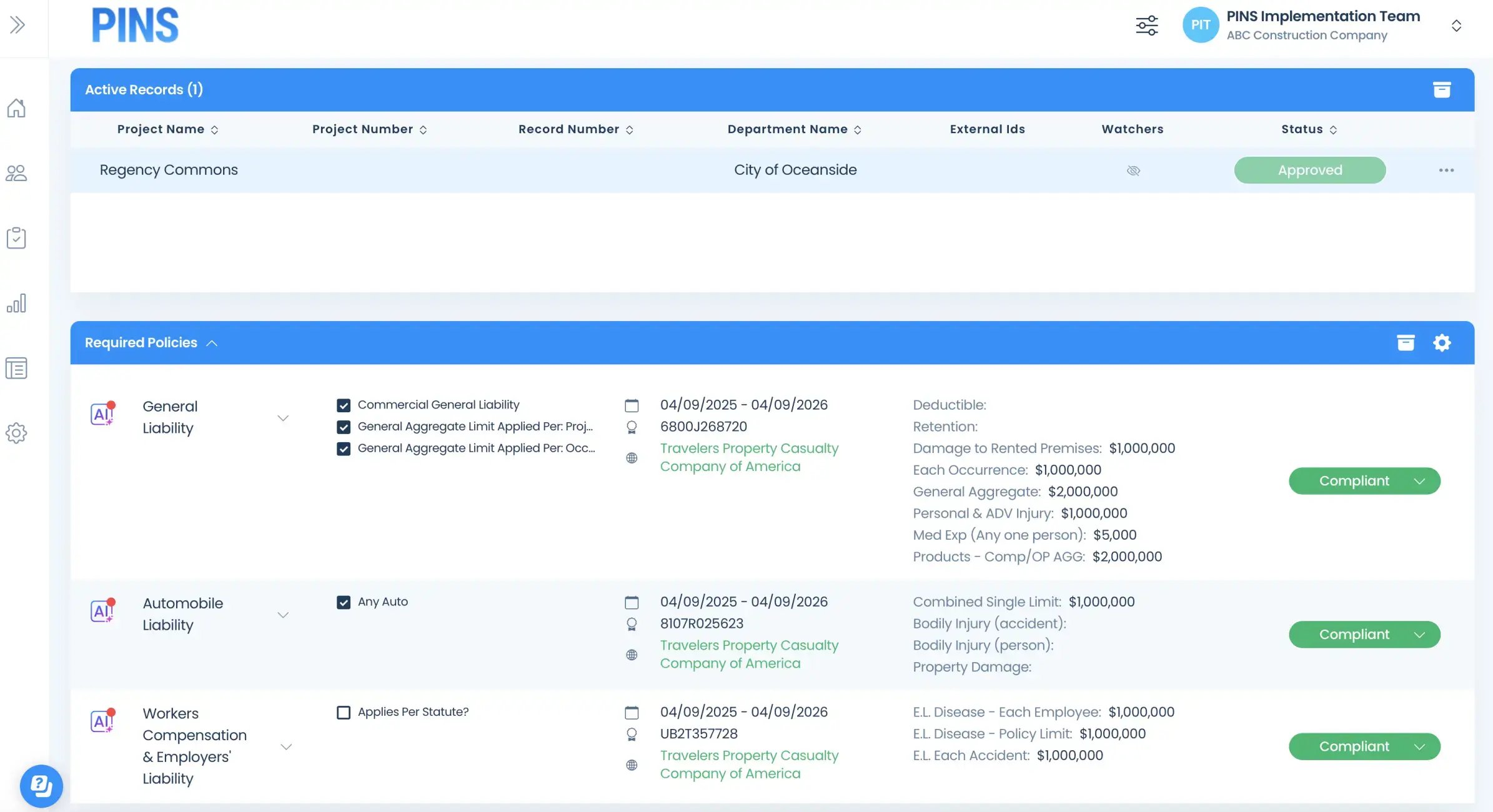
Insured Profile Page showing insurance policies in compliant status