Features

COI Management Software Built for In-House Teams

Certificate of insurance management takes more than tracking expiration dates. PINS builds your requirements, collects documents, reviews coverage, and keeps renewals moving. Your team makes every decision.
  • Multiple requirement sets per vendor
  • Renewal and expired notices sent automatically
  • Every approval, waiver, and exception logged

Bring a sample contract. We will build your requirements from it on the call.
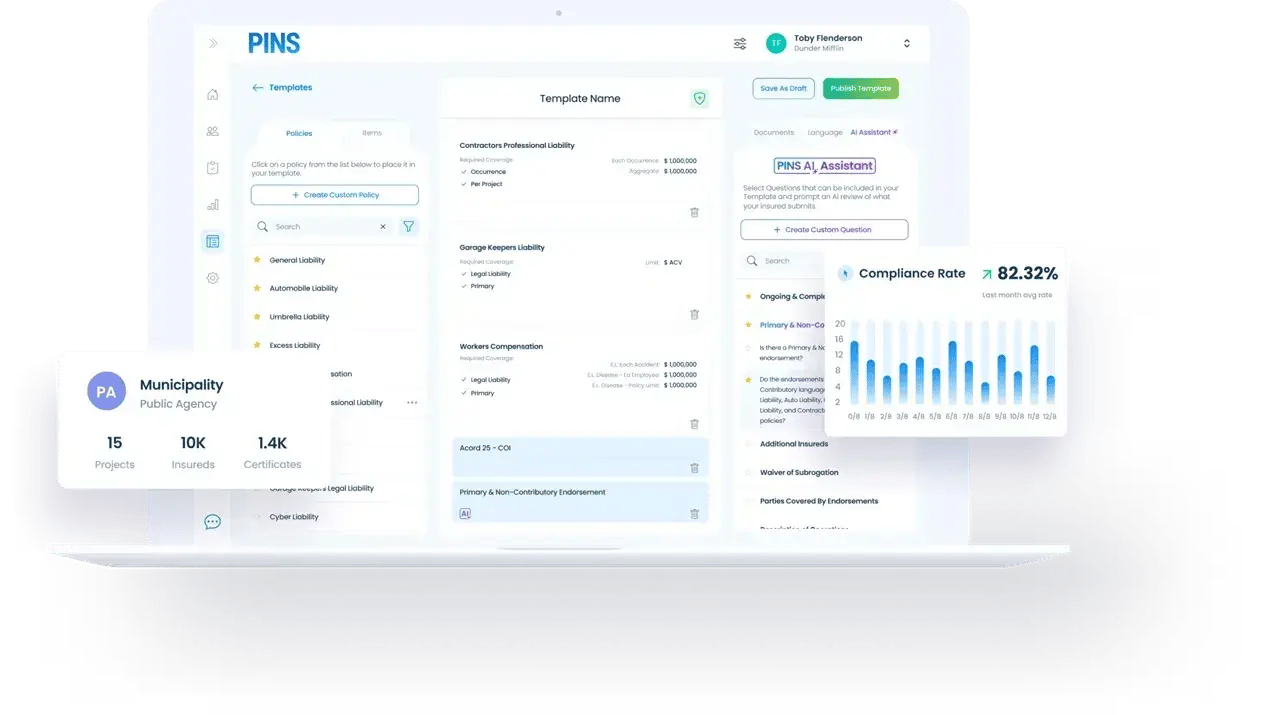
COI Compliance dashboard on laptop

Insurance requirements

Requirements built from your contracts

Upload a contract and PINS AI reads it and builds the insurance requirements, including coverage types, limits, and required endorsements. Your team can review and edit them at any time.
  • Multiple requirement sets per vendor, so each contract is checked against its own terms
  • Edit any requirement whenever your standards change
  • Bring a sample contract to your demo and watch the requirements get built live

Your team decides: AI drafts the requirements. You can change any of them.
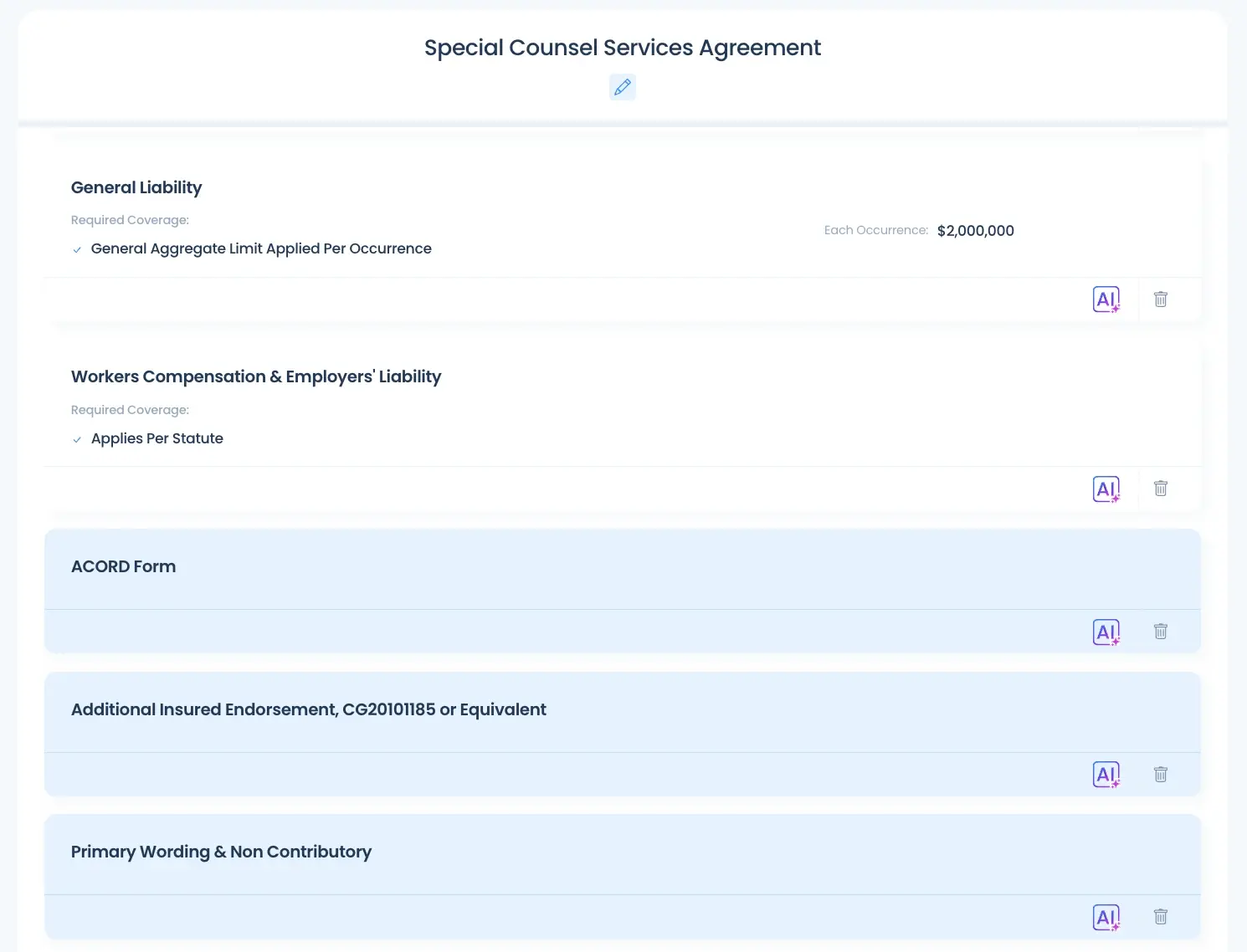
PINS insurance requirements built from a services agreement, including additional insured, primary and non-contributory, and waiver of subrogation endorsements

Document collection

Collect COIs without the email chase

PINS sends document requests to vendors and brokers. They upload certificates, endorsements, and supporting documents through a secure link with no login required.
  • No account or password for vendors or brokers
  • Requests go out from PINS, not from someone’s inbox
  • Every request and upload is logged on the vendor record
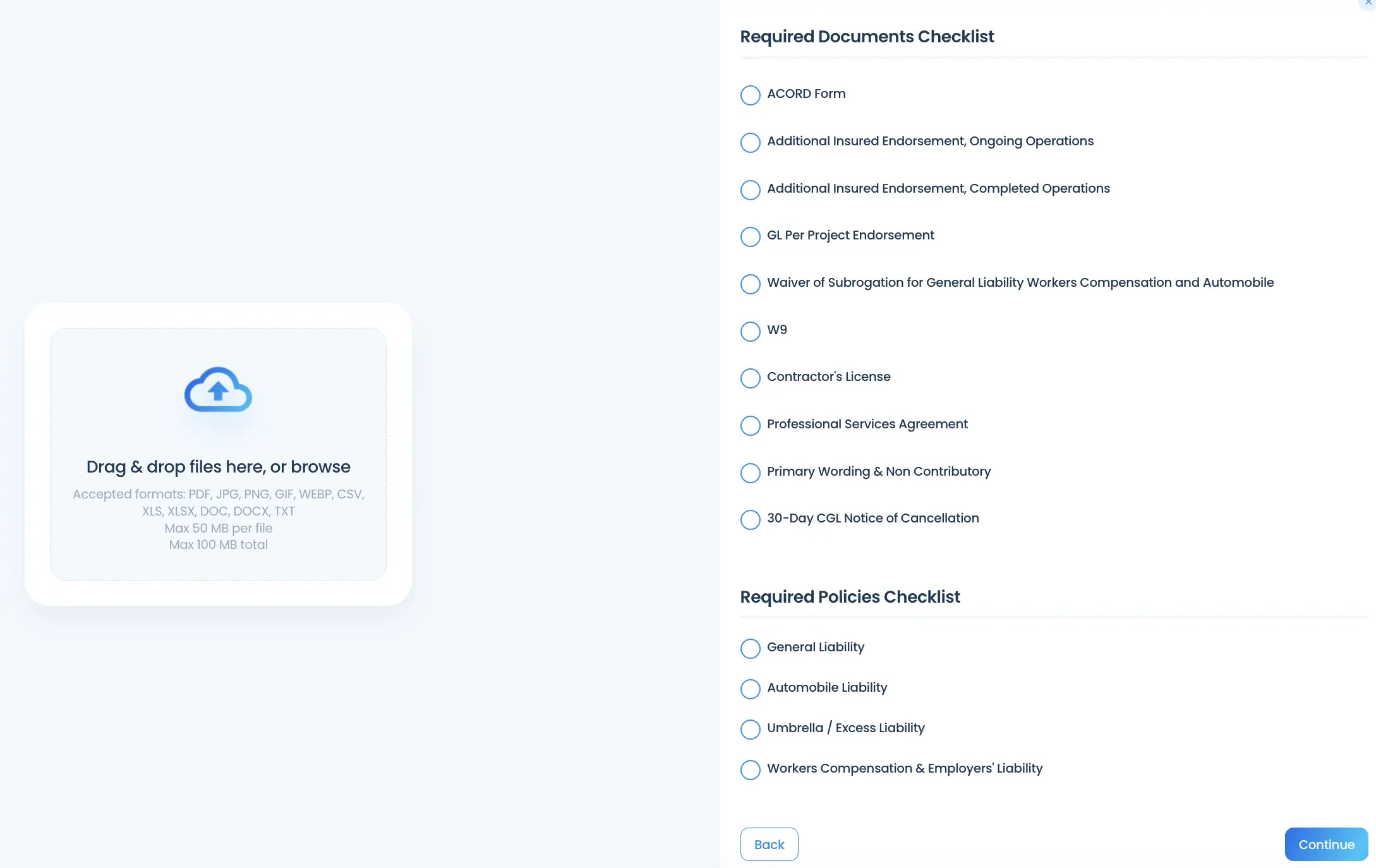
PINS vendor upload screen with drag-and-drop submission and a checklist of required documents and policies

AI-assisted review

AI-assisted review of COIs and endorsements

AI reads each certificate and endorsement and checks them against the requirements for that contract. It identifies missing coverage, low limits, and missing required language, and links each finding to the page it came from.
  • Reviews endorsements, not just the certificate
  • Answers coverage questions with page references
  • Applies the same review logic to every document

Your team decides: AI finds issues. Your team approves, rejects, or waives.

Learn more about AI COI review
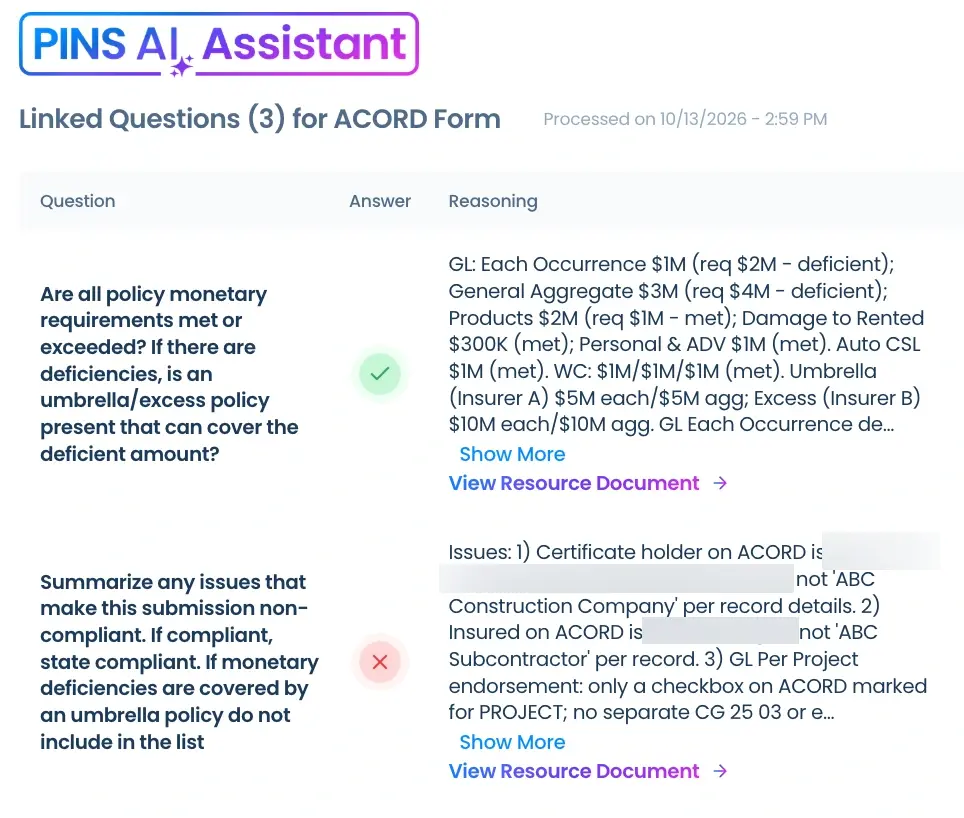
PINS AI Assistant review of an ACORD form, showing pass and fail results with reasoning and links to the source document

Deficiency follow-up

Deficiency notices without the rewriting

PINS finds deficiencies against your requirements, and your team decides what is acceptable. Mark a policy or document non-compliant, and your email templates pull it in automatically, so every notice lists exactly what the vendor needs to fix.
  • Every deficiency listed on the vendor record
  • Accept, waive, or mark any policy or document non-compliant
  • Email templates for common scenarios, with non-compliant items filled in automatically

Your team decides: Only items your team marks non-compliant go into the notice.
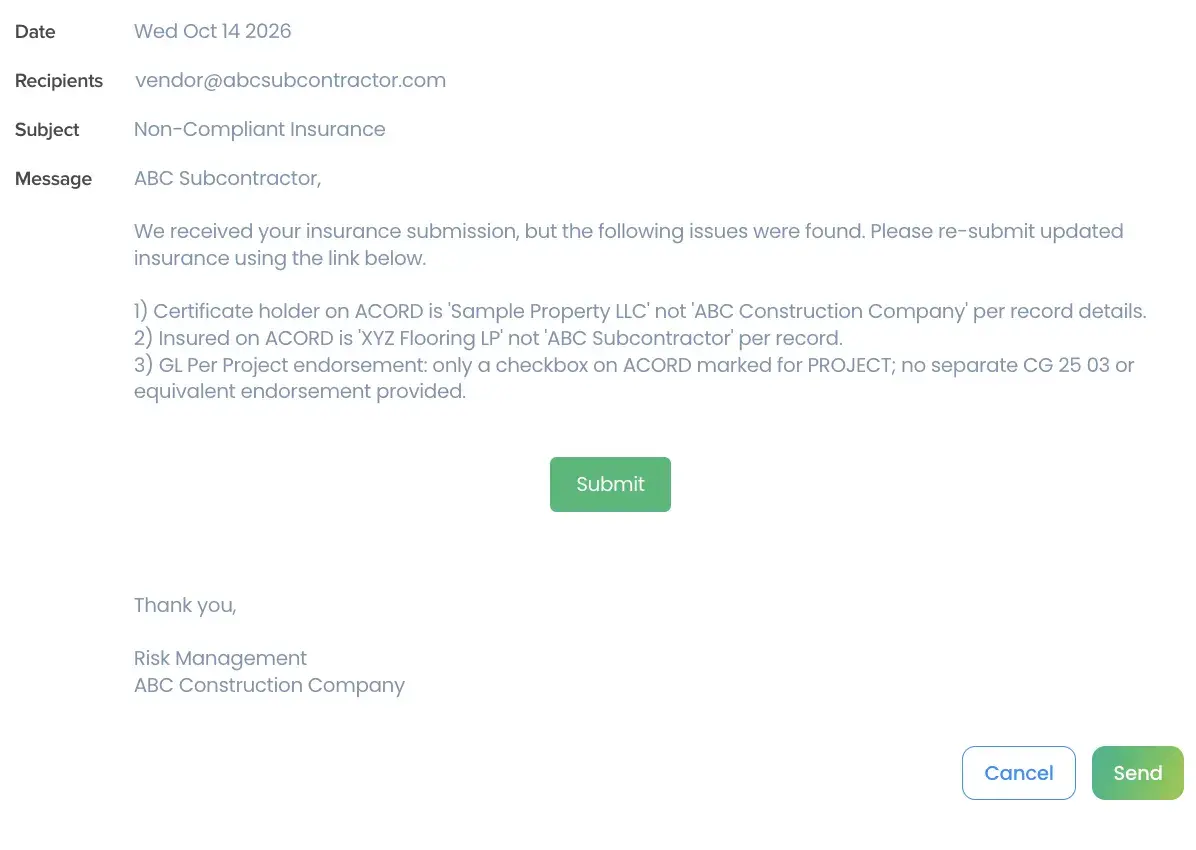
PINS deficiency email template with non-compliant policies and documents filled in automatically

Expirations and renewals

Renewals that run on their own

PINS tracks every policy expiration date and sends renewal requests and expired notices automatically. Vendors upload the new certificate through the same no-login link, and it goes straight into review.
  • Renewal requests sent before coverage lapses
  • Each policy tracked on its own, so a workers comp renewal only requests workers comp
  • Optional alerts to your team when a follow-up step is reached

Your team decides: Set the timing for each step, edit the templates, or turn the sequence on or off at any time.

How to manage COI renewals
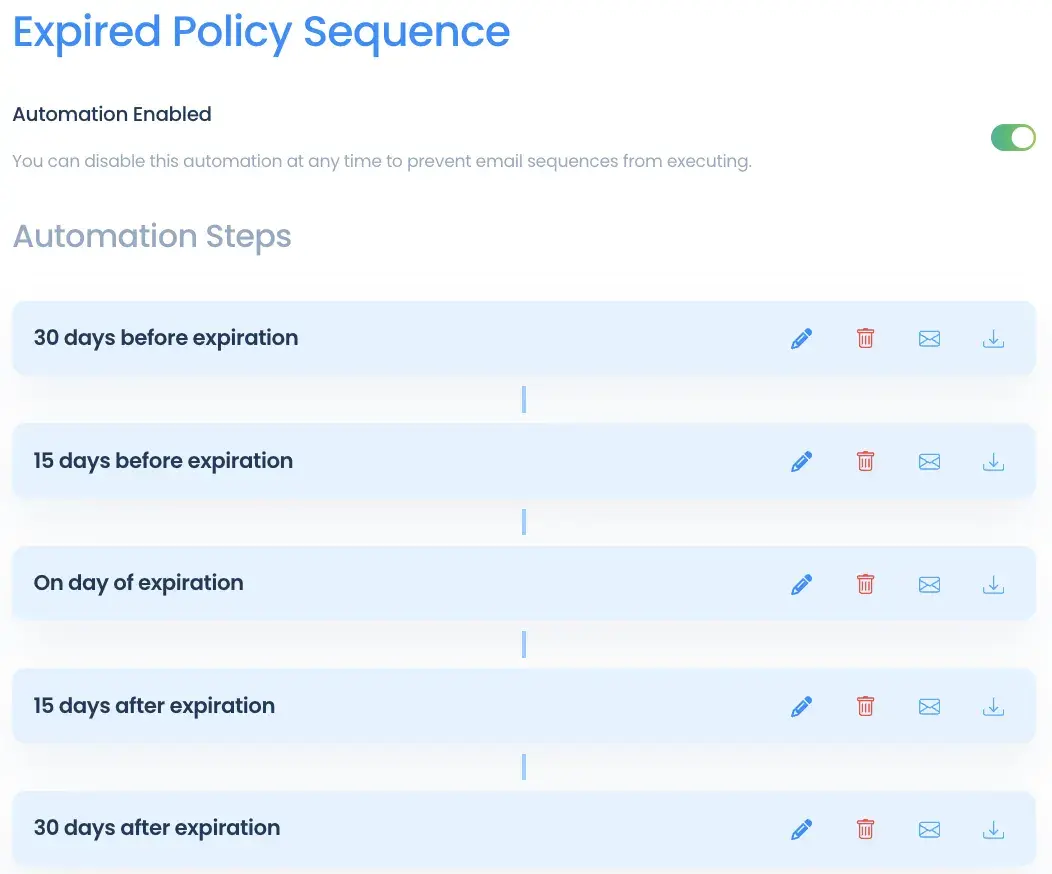
PINS expired policy sequence with automated renewal requests at 30 and 15 days before expiration, on the expiration date, and after

Approvals, waivers, and exceptions

Every decision stays with your team

PINS assists the review, but your team makes the call on every requirement. Mark it compliant, non-compliant, or waive it when the risk is acceptable. Every decision is logged with who made it, so months later you still know why a vendor was approved.
  • Waivers and exceptions stay visible, not buried in email
  • Every decision logged with who made it
  • Add comments to any decision for context
  • Search the full decision history when an audit or claim comes up

Your team decides: AI analyzes. You make the call.
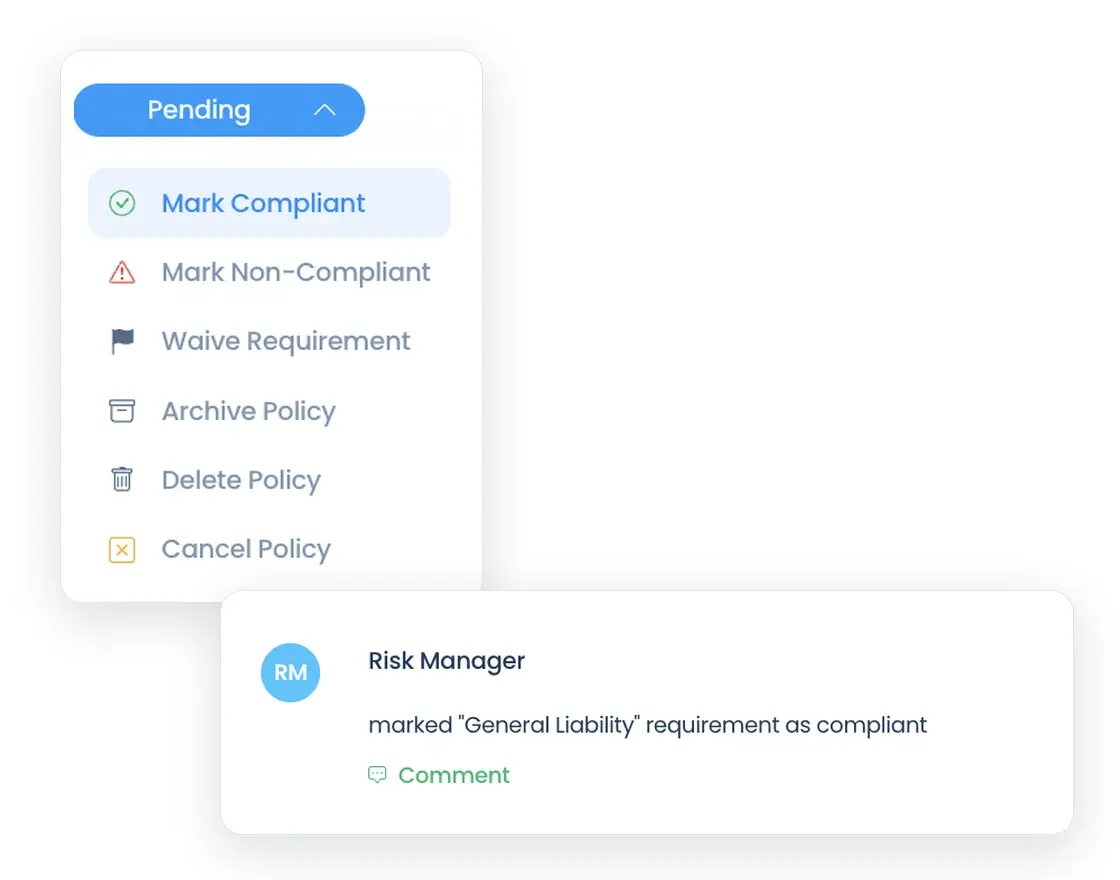
PINS requirement status menu with options to mark compliant, mark non-compliant, or waive, and the activity log entry it creates

Reporting and audit history

Audit prep should not turn into a scramble

See where every vendor stands at a glance, then narrow it down. Filter by department, project, owner, or vendor, export the results to Excel, and download the documents behind them in one step.
  • Live counts for expired, non-compliant, pending review, and delinquent records
  • Filter by department, project, owner, or vendor
  • Export to Excel from the Reports or Projects page
  • Download the documents behind any filtered view
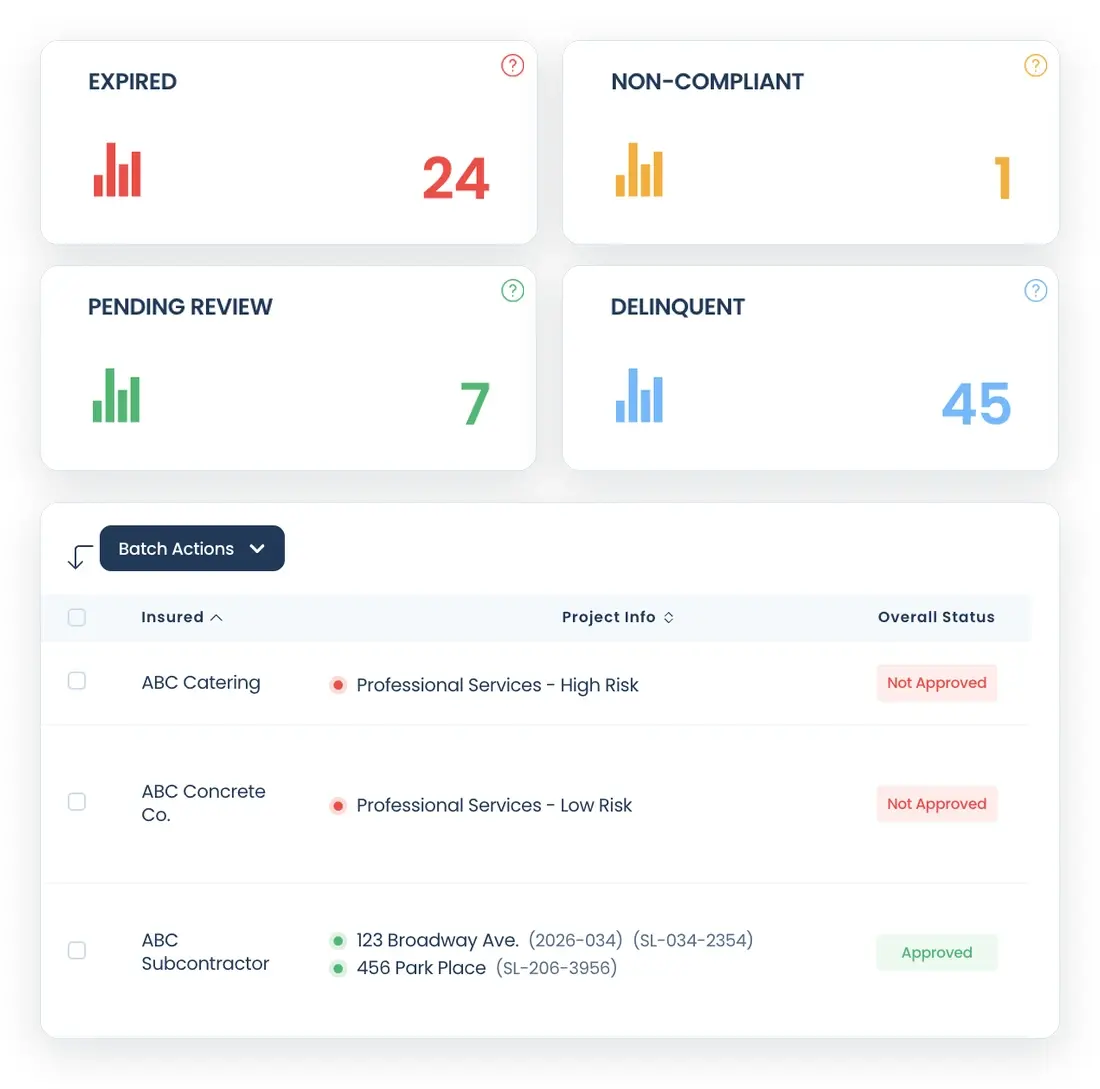
PINS reports dashboard showing expired, non-compliant, pending review, and delinquent counts above a filterable vendor compliance table

Integrations

Insurance status where your teams already work

PINS connects to Procore and Vista, with an API for your internal systems. Project managers and AP see compliance status without logging into another tool.
  • Procore: commitments flow into PINS, status shows in Procore, and PMs get a direct link to the vendor record
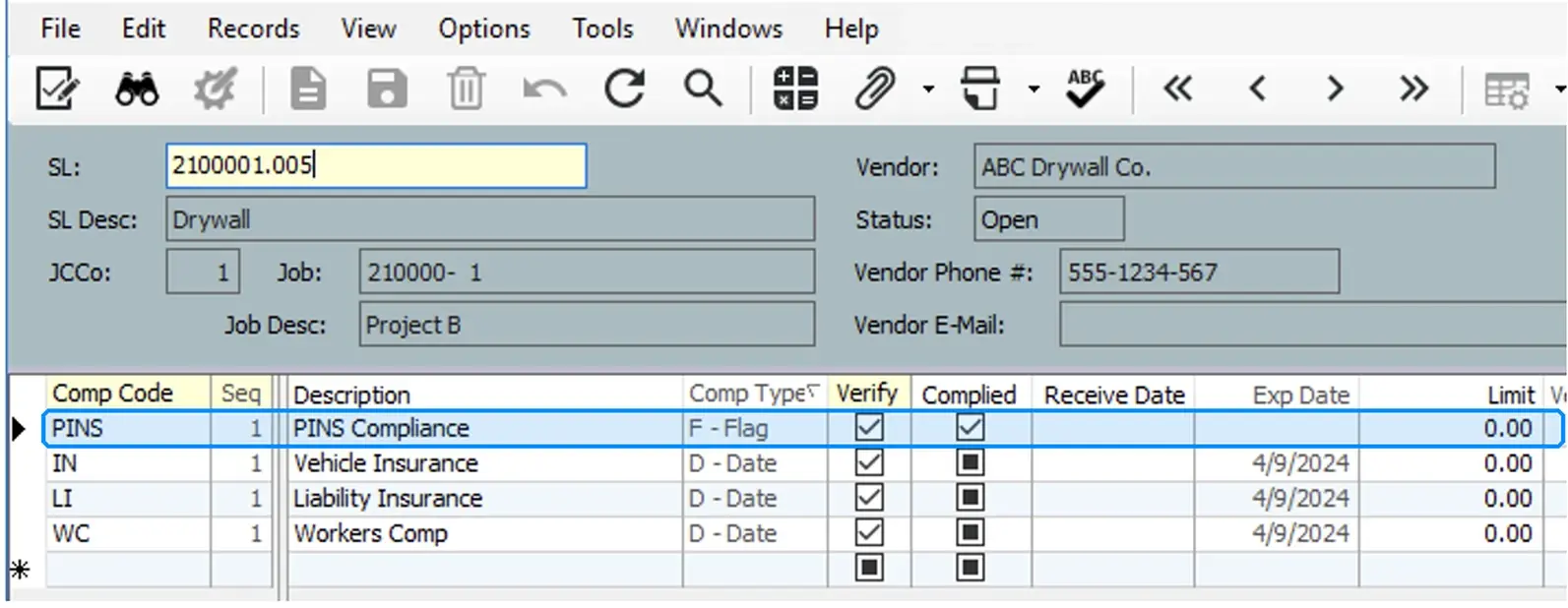
  • Vista: supports AP vendor and subcontract workflows and writes insurance status back for payment control
  • API: connect PINS to the rest of your systems
See all integrations
Vista subcontract compliance detail showing the PINS Compliance flag written back as complied
Results

What changes when COI tracking runs in PINS

  • 85%
    less admin time on COI tracking
  • 90%+
    ongoing vendor compliance
  • 3 to 1
    people managing COIs at Morley
Results reported by PINS customers. Read the Hummel Group case study.

Everyone on the same page

PINS creates transparency, everyone is on the same page with compliance items.
Kendall Thornley Sr. Risk Specialist, Morley Builders

FAQ

Common questions about COI management software

Still have questions? Talk to our team.

What does COI management software do?

COI management software collects certificates of insurance and endorsements from vendors, checks them against your requirements, tracks expirations, and follows up on anything missing. PINS runs that workflow in one place, and your team makes every compliance decision.

Can we set different insurance requirements for each contract?

Yes. PINS AI reads the contract and builds the insurance requirements, including coverage types, limits, and required endorsements. A vendor can have multiple requirement sets, so each contract is checked against its own terms. Your team can edit any requirement at any time.

Does PINS review endorsements, or just the certificate?

Both. AI reviews the ACORD certificate and the endorsements behind it, such as additional insured, primary and non-contributory, and waiver of subrogation, against the requirements for that contract. Each finding links to the page it came from.

Is AI COI review fully automated?

No, by design. AI analyzes each document and flags deficiencies. Your team marks each requirement compliant, non-compliant, or waived, and every decision is logged. Learn more about AI COI review.

What happens when a COI is deficient?

Your team marks the policy or document non-compliant. PINS email templates pull in every non-compliant item automatically, so the notice lists exactly what the vendor needs to fix. The vendor sends corrections back through the same no-login upload link.

How does PINS handle expiring policies?

PINS tracks each policy’s expiration on its own and runs an automated sequence of renewal requests before and after the expiration date, on a schedule your team sets. Renewed certificates go straight into review.

What reports can we pull for an audit?

Filter compliance status by department, project, owner, or vendor, export to Excel from the Reports or Projects page, and download the documents behind any filtered view. Every approval, waiver, and exception is logged with who made it.

Does PINS integrate with Procore and Vista?

Yes. Procore commitments flow into PINS, insurance status shows in Procore, and project managers get a direct link to the vendor record. With Vista, PINS supports AP vendor and subcontract workflows and writes insurance status back for payment control. An API is available for other systems.

See every feature working on your own contracts

Bring a sample contract. We will build your requirements from it on the call and walk through how PINS handles your vendors, projects, and renewals.
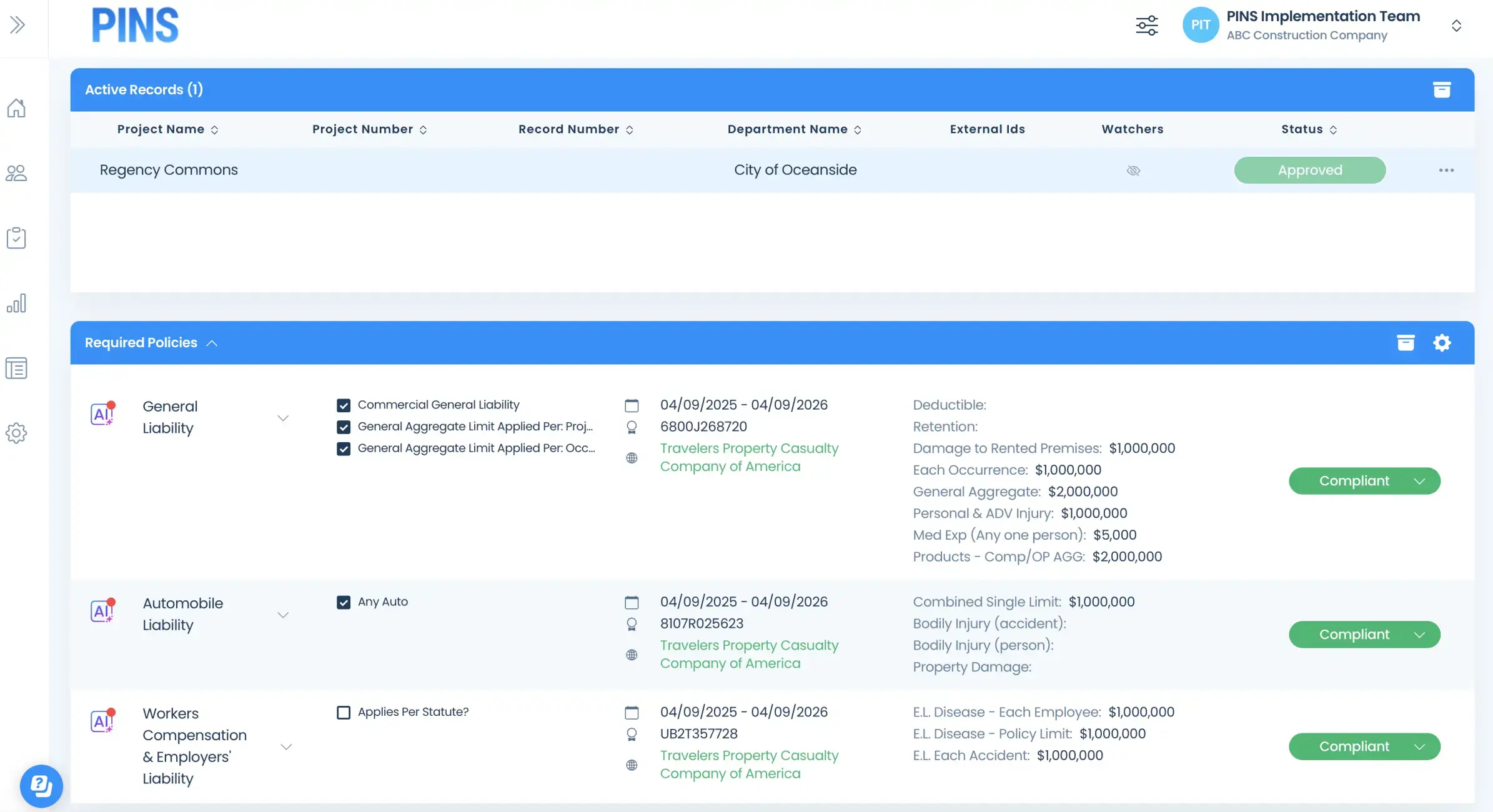
Insured Profile Page showing insurance policies in compliant status