
Procore Integration

COI and Compliance Tracking for Procore

Procore lets you manually record if a certificate of insurance was received. Reviewing whether it actually meets your requirements, and keeping those fields current, falls entirely on your team.


PINS integrates with Procore. It handles COI collection, AI-assisted review, and renewal follow-up, then surfaces compliance status in Procore automatically, tied to each commitment, without manual data entry.


See how COI tracking software works behind the integration.

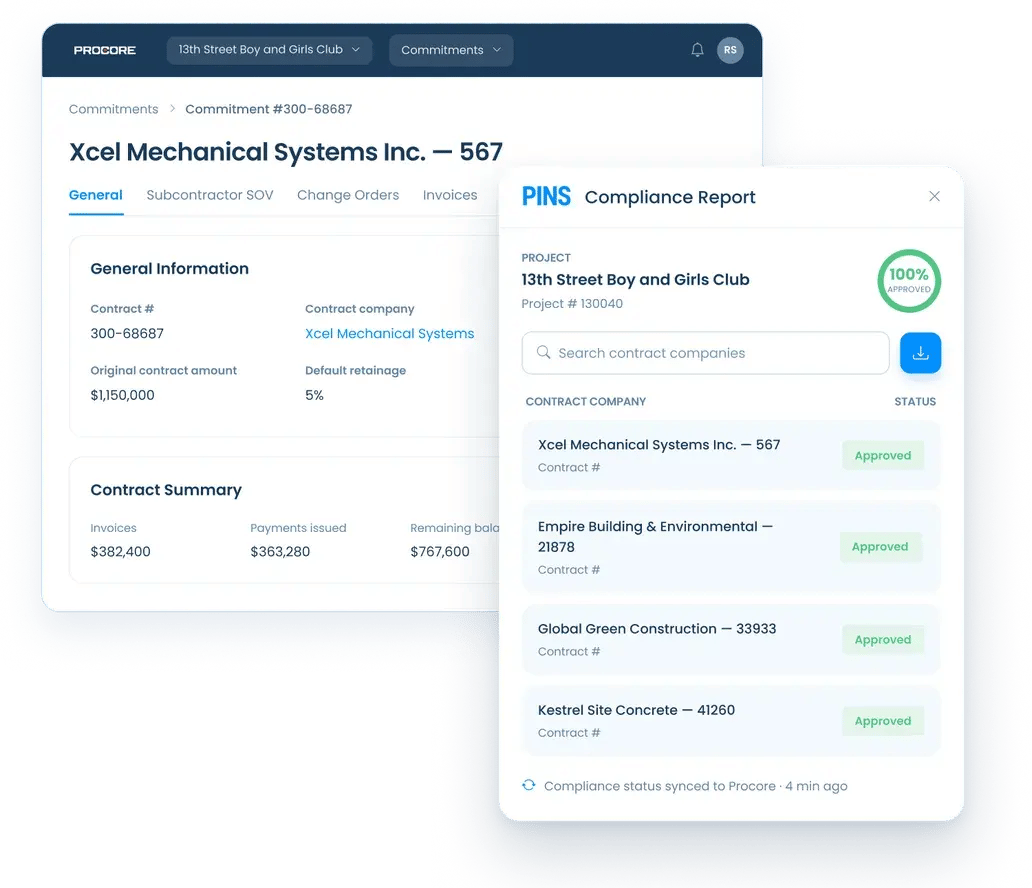
PINS Compliance Report panel embedded inside Procore showing real-time compliance status for subcontractors on the 13th Street Boy and Girls Club project, with all four contractors marked as Approved and compliance status synced 4 minutes ago.

How It Works

How PINS connects to Procore

Commitments flow in from Procore. Compliance status flows back. Your team handles the review in between.
Commitments sync into PINS automatically, configurable based on status, e.g. draft, out for tender, out for signature, approved, etc.
Compliance status writes back to Procore automatically: to the insurance tab to enable stop payments in Procore Pay, and to the embedded PINS side panel visible across Commitments, Contracts, Project Directory, and more.
Step 1

Vendor uploads documents

Vendors and brokers submit through a simple upload link. No login required.

Your team decides
Step 2

AI reviews. Your team approves.

PINS AI reviews each submission and identifies issues. Your team decides what happens next.
Step 3

PINS requests renewals

Automated reminders and follow-up requests keep compliance current. The cycle repeats at every renewal.

Key Features

What PINS adds to Procore

AI-assisted review, your final call

PINS reads submitted documents, checks coverage against your requirements, and identifies issues before your team sees them. Your team reviews the findings, asks questions, and makes the final call. AI handles the reading. Your team controls every compliance decision.


Renewal requests subs actually respond to

Procore renewal reminders come from a no-reply address, mixed in with every other system notification your subs receive. PINS sends requests from your domain, with customizable timing and messaging. Subs respond because the email looks like it came from your team.

No manual expiration date entry

PINS reads expiration dates and coverage details directly from submitted documents. When documents are approved or lapse, compliance status updates in Procore automatically. Your team stops maintaining fields by hand.

Compliance visible across Procore

The embedded PINS side panel surfaces real-time compliance status from within Procore, not just on the commitment record. Project managers see current status from Commitments, Contracts, Prime Contracts, Project Directory, Budget, RFIs, and more without logging into PINS.

Endorsement review, not just receipt

Procore can record that a certificate was received. PINS checks whether it meets your contract requirements: additional insured language, primary and non-contributory status, waivers of subrogation, and other required endorsements. A certificate on file is not the same as a certificate that complies.

Stop payment control through Procore Pay

PINS writes compliance status back to the Procore insurance tab, enabling the stop payment workflow in Procore Pay. When a subcontractor falls out of compliance, the flag updates automatically. Your AP team sees the block before a payment processes.

Why Integrate PINS and Procore

Two tools. One source of truth.

Procore shows compliance status where project managers already work. PINS runs the review and tracking workflow behind it.

What PMs sees in Procore

  • Status on each commitment and contract
  • Embedded side panel across 12+ Procore pages
  • Stop payment flag in Procore Pay
  • Deep link into PINS for full document detail

What Compliance manages in PINS

  • AI-assisted document review with team approval
  • Branded renewal requests and automated follow-up
  • Exception, waiver, and approval history
  • Audit-ready log of every compliance decision

For teams also running Vista, PINS integrates natively with both. See how the Vista integration works.

Procore Integration FAQ

Common questions

Does Procore track certificates of insurance?

Procore includes basic insurance expiration fields on commitment records, but it does not review documents, find coverage gaps, or manage the full certificate of insurance compliance workflow. Teams that need active COI tracking; document review, expiration notices, vendor follow-up, and endorsement verification; typically connect a dedicated tool to Procore. PINS integrates directly with Procore to pull commitment data, review every submission against your requirements, and write compliance status back so project managers see it without leaving the platform.

How does the PINS Procore integration work?

PINS connects to Procore through the Procore App Marketplace, pulling commitment data automatically so insurance requirements stay in sync with your active subcontracts. When a subcontractor submits a certificate of insurance or endorsement, PINS reviews it against the requirements tied to that commitment. Compliance status writes back to Procore, where project managers can see it without leaving the platform.

What do project managers see in Procore when PINS is connected?

Project managers see the current insurance compliance status for each subcontractor directly inside Procore on the relevant commitment record. Each record includes a deep link into PINS, so PMs can access the full compliance detail, document history, and any open issues when needed. This keeps the project team informed without requiring them to manage certificates of insurance themselves.

Does the PINS Procore integration work with existing subcontractor lists?

PINS imports subcontractor and commitment data from Procore automatically, so there is no need to re-enter vendor information. Subcontractors submit insurance documents through a secure, no-login upload link that PINS generates, they do not need a Procore account or a PINS login to submit. This keeps the submission process simple for vendors while keeping compliance tracking inside the tools your team already uses.

What types of insurance documents does PINS review for Procore commitments?

PINS reviews certificates of insurance, endorsements, and supporting documents against the requirements tied to each Procore commitment. This includes additional insured endorsements, primary and non-contributory language, waiver of subrogation endorsements, and other coverage conditions your contract requires. AI-assisted review finds issues and provides detailed context and reasoning so your team can make the final compliance decision.

Can PINS hold payments in Procore Pay based on insurance compliance status?

PINS writes insurance compliance status back to Procore Pay, so payment workflows reflect real-time COI status without manual checks. If a subcontractor is out of compliance, that status is visible in the payment process before a payment is released. This gives finance and project teams a shared signal tied to actual document review, not a spreadsheet that may be days behind.

Stop Reviewing.

Start Approving.

Schedule Demo
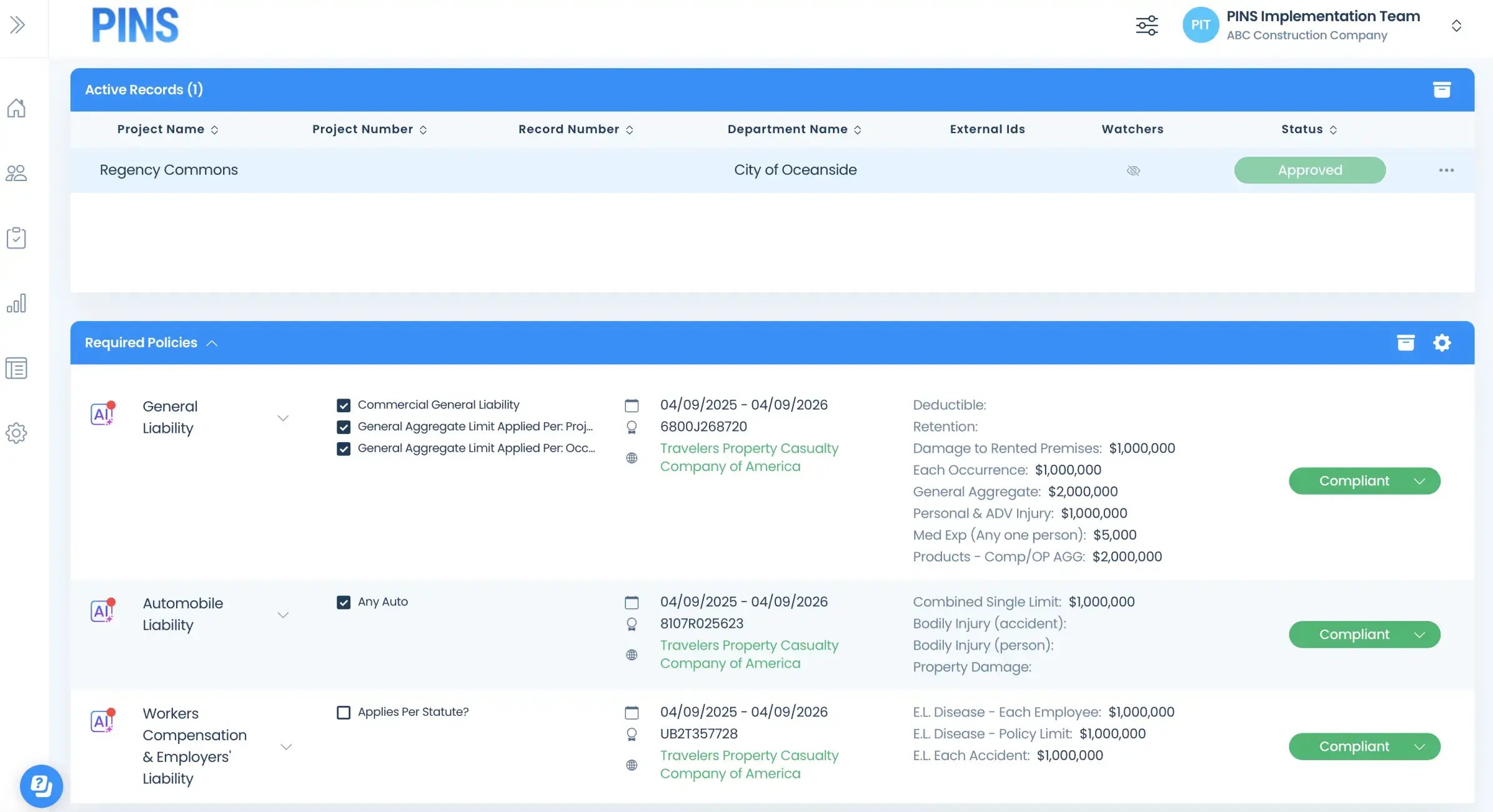
Insured Profile Page showing insurance policies in compliant status-1