Commercial General Contractors

COI Tracking for General Contractors

Subcontractor insurance gaps create real liabilities for general contractors. A missing endorsement, wrong additional insured language, or lapsed completed operations coverage shifts risk back to the GC. By the time a claim surfaces, the COI problem is months old and buried in email.


PINS gives commercial GC teams a way to stay ahead of it. AI-assisted review checks endorsements against your contract requirements before gaps become exposures. Automated renewals reduce the chasing. Native Procore integration keeps project managers in the loop. Your team makes every compliance call.
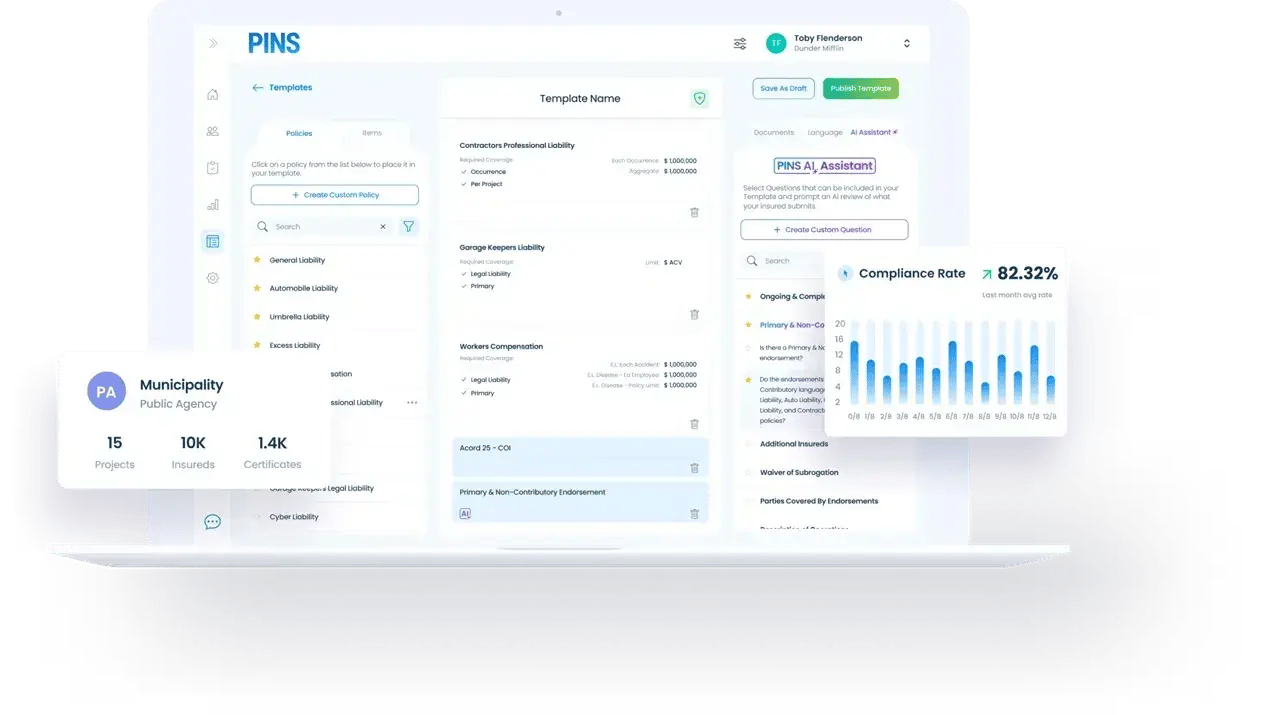
 

PINS subcontractor COI tracking dashboard showing project compliance status and AI endorsement review

Where it gets complicated

Commercial COI compliance fails on the endorsement, not the certificate

A certificate of insurance can show the right coverage types and limits while still failing on the endorsement language your contract requires. PINS reviews both.

Additional insured endorsements have to name the right parties

On commercial projects, the additional insured requirement typically runs two directions. The subcontractor's endorsement needs to name the GC, and it also needs to name the project owner when the owner's contract requires it. A standard certificate review often catches one and misses the other. When the owner is not named and a claim occurs, coverage may not extend to the party that needed it most.

What gets missed

The GC is named but not the owner. Or the owner is named but the GC entity is listed incorrectly. Either way, the endorsement fails the contract requirement.

Completed operations is a separate endorsement from ongoing operations

Commercial contracts routinely require completed operations coverage in addition to ongoing operations. These are distinct endorsements, and a subcontractor can be fully current on one while the other has lapsed or was never submitted. Completed operations coverage matters most after the project closes, during the warranty and defect period, when the sub is no longer on site and the GC is still holding exposure.

When it matters

Active work has stopped. The sub is off the project. A defect claim comes in. If completed operations coverage lapsed or was never verified, that exposure sits with the GC.

Primary and non-contributory status has to appear on the endorsement

Most commercial contracts require that the subcontractor's insurance be primary and non-contributory. That means the sub's policy responds first, before the GC's own coverage. This requirement has to be satisfied by endorsement language, not just by a checkbox on the certificate face. A certificate that looks complete can be missing this entirely, and a standard review process will not catch it without reviewing the underlying endorsement.

Why it matters

Without primary and non-contributory status on the endorsement, the GC's own policy can be pulled into a claim that the sub's coverage should have handled alone.

Waiver of subrogation is buried in the endorsement language

Commercial contracts require waivers of subrogation to prevent a subcontractor's insurer from pursuing the GC after paying a claim. Like primary and non-contributory status, this requirement lives on the endorsement, not the certificate. It is easy to overlook in a manual review and easy to miss when processing a high volume of subcontractor submissions. When it is absent, the GC's contractual protection is not in place.

The gap

The sub's insurer pays a claim, then pursues the GC for contribution. A proper waiver of subrogation endorsement is what prevents that. Missing it is a contract compliance failure.

How PINS Works

One Upload. Continuous Compliance.

Upload a contract once and PINS builds the compliance workflow. AI reads submissions against your requirements, flags gaps, and helps your team review faster. You stay in control of every approval.
Initial Setup

PINS sets requirements and sends requests

AI reads the contract and builds the insurance requirements automatically. Emails are sent out requesting COIs and supporting documents from vendors and brokers.
Step 1

Vendor uploads documents

Vendors and brokers submit through a simple upload link. No login required.
Your team decides
Step 2

AI reviews. Your team approves.

PINS AI reviews each submission and identifies issues. Your team decides what happens next.
Step 3

PINS requests renewals

Automated reminders and follow-up requests keep compliance current. The cycle repeats at every renewal.

Fits your stack

Works alongside the systems your team already uses

PINS helps commercial GCs manage insurance compliance without replacing the systems they already use for project management or accounting. Keep teams moving in the tools they know, while PINS handles insurance tracking and review.

What risk teams say after switching

I love PINS, the product, the team, I love the communication and how they immediately jump in to help when we need it.
Korbi Petersen
Insurance Coordinator
Wells Construction

FAQ

COI tracking for commercial general contractors

Does PINS work for commercial general contractors?

Yes. PINS is built for the subcontractor COI compliance workflows that commercial general contractors manage at scale. GCs can set project-specific requirements, collect certificates and endorsements from subcontractors and brokers through a no-login upload link, and review each submission against the requirements tied to that project and contract. AI-assisted review checks endorsements for additional insured language, primary and non-contributory status, waiver of subrogation, and completed operations coverage. The native Procore integration pulls subcontractor commitments into PINS automatically and writes compliance status back, so project managers can see COI status without leaving the platform.

How does PINS verify endorsement language for commercial construction contracts?

PINS reviews endorsements against the specific language your contracts require, not just coverage types or limits. AI-assisted review checks for additional insured wording naming the required parties, primary and non-contributory status, waiver of subrogation language, and completed operations coverage where required. When the endorsement does not satisfy a contract requirement, the submission is flagged. Your team reviews the flag, requests corrected documentation, or makes a documented waiver decision. The review is AI-assisted, but your team makes every compliance call.

Can PINS track different COI requirements across multiple active commercial projects?

Yes. PINS ties requirements to specific projects and subcontractor commitments, so a sub working across multiple of your active projects is tracked against the requirements for each one separately. A sub that is compliant on one project may not satisfy the endorsement language or coverage limits required on another. PINS makes that visible without requiring your team to hold it manually. Compliance status is reported at both the subcontractor level and the project level.

Does PINS track completed operations coverage separately from ongoing operations?

Yes. PINS tracks completed operations endorsements as a distinct requirement, separate from ongoing operations coverage. On commercial projects where both are required by contract, PINS reviews whether each is present, current, and meeting the required language. When a subcontractor's completed operations coverage has lapsed or was never submitted separately, the submission is flagged. This matters especially during the post-completion and warranty period, when active work has stopped but coverage requirements under the contract are still in effect.

How does the Procore integration work for commercial GC teams?

The Procore integration pulls subcontractor commitment data from Procore into PINS automatically. When a commitment is created or updated in Procore, PINS creates or updates the corresponding compliance tracking record. As your team reviews submissions in PINS, compliance status writes back to Procore so project managers can see current COI status without logging into a separate system. Deep links from Procore into PINS give PMs direct access to the full compliance record when they need more detail.

Stop Chasing COIs.

Start Approving.

Schedule Demo
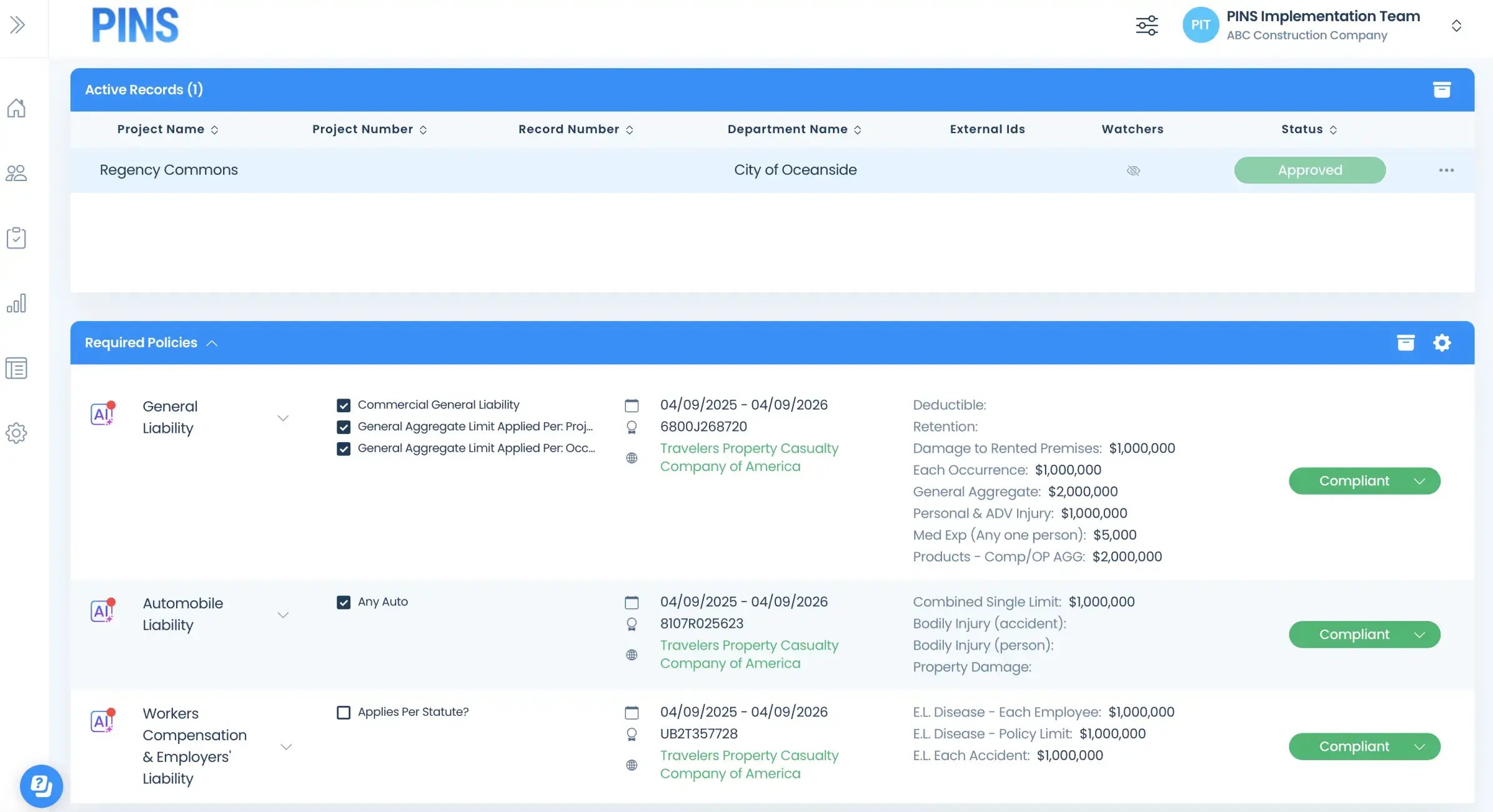
Insured Profile Page showing insurance policies in compliant status-1