Heavy Civil Construction

COI Tracking for Heavy Civil Contractors

Heavy civil subcontractors; haulers, crane operators, excavators, demolition contractors; carry more workers comp exposure than most. When a COI lapses mid-project on a high-risk trade, the audit liability lands on the GC. Public infrastructure contracts add another layer: strict documentation requirements, specific certificate holder wording, and an audit trail that has to hold up when a public agency comes asking.


PINS helps heavy civil teams track subcontractor insurance compliance across active projects. AI-assisted review catches gaps before they become audit exposure. Vista integration ties insurance status to AP and subcontract workflows. Your team stays in control of every approval.
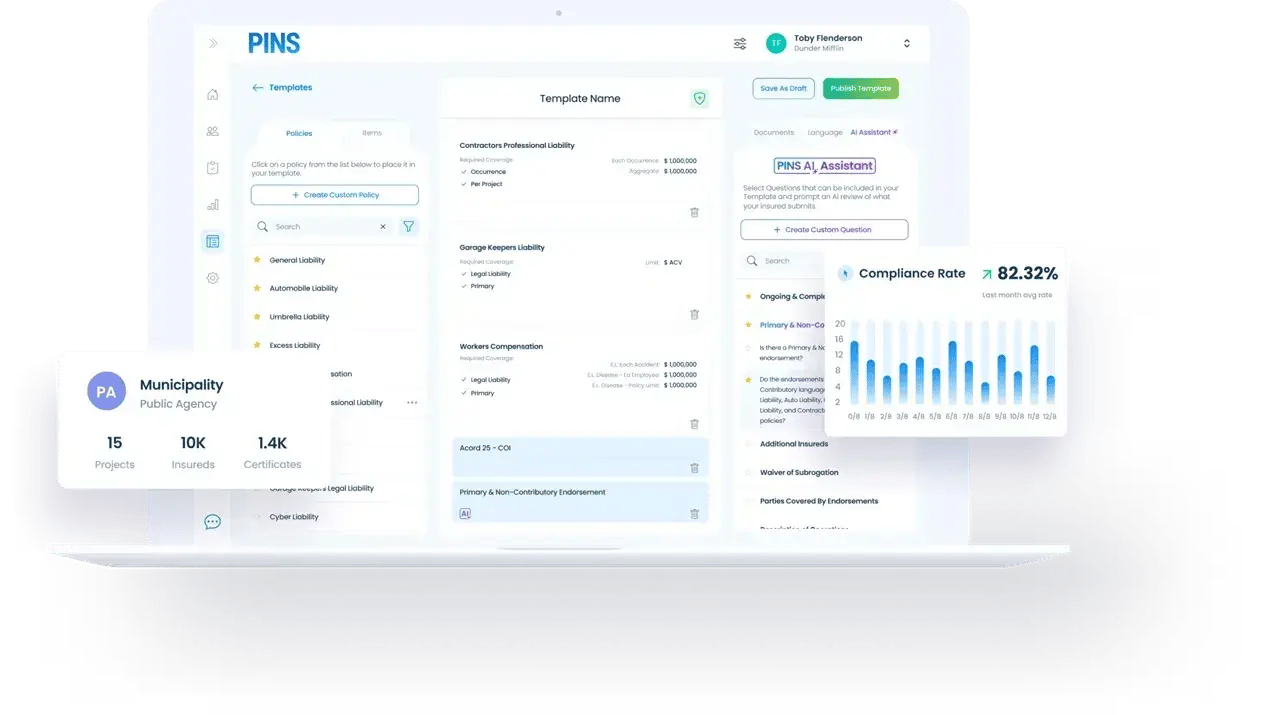
PINS subcontractor COI tracking dashboard showing project compliance status and AI endorsement review

Where it gets complicated

Heavy civil COI compliance is harder than it looks

High-risk trades, public contracts, and project-level documentation requirements create compliance gaps that a standard COI review process will miss.

Workers comp exposure from high-risk trades creates real liability

Haulers, crane operators, excavators, and demolition subs carry workers comp exposure that most other trades do not. When a sub in one of these classifications lets a policy lapse or carries limits below your contract requirements, the liability lands on the GC. A certificate can show active coverage while the underlying policy has a limit gap or lapsed renewal. PINS reviews actual endorsement language against your requirements.

What to check

Does the sub's workers comp coverage meet the limits your contract requires for that classification? Is the policy current through the project period? PINS finds gaps before the audit, not after.

Public agency contracts require specific certificate holder wording

Infrastructure contracts with public agencies often specify exact certificate holder language: the name, title, and address that has to appear on the COI. When a sub submits with generic wording or the wrong agency name, the submission is out of compliance regardless of coverage limits. Non-compliant certificate holder wording can hold up project approvals, payment processing, or change order authorization. PINS checks certificate holder wording against your project requirements, not just coverage type and limits.

Why it matters

A COI that does not name the right public agency with the right wording fails compliance even if every coverage limit is met. This is a common submission error that gets caught late.

Insurance status has to stay connected to AP and payment workflows

On heavy civil projects, payment holds tied to insurance compliance are a standard contract control. When a subcontractor's COI lapses or a renewal does not come in on time, the AP team needs to know before a check runs. When compliance status lives in email or a spreadsheet, that handoff breaks down. PINS writes insurance status back to Vista so the AP and subcontract workflow reflects current compliance without a manual update from the COI tracking team.

The risk

Payment is issued to a subcontractor with lapsed coverage. The audit finds the gap. The GC owns the exposure. Vista integration closes the loop between compliance tracking and payment control.

How PINS Works

One Upload. Continuous Compliance.

Upload a contract once and PINS builds the compliance workflow. AI reads submissions against your requirements, flags gaps, and helps your team review faster. You stay in control of every approval.
Initial Setup

PINS sets requirements and sends requests

AI reads the contract and builds the insurance requirements automatically. Emails are sent out requesting COIs and supporting documents from vendors and brokers.
Step 1

Vendor uploads documents

Vendors and brokers submit through a simple upload link. No login required.
Your team decides
Step 2

AI reviews. Your team approves.

PINS AI reviews each submission and identifies issues. Your team decides what happens next.
Step 3

PINS requests renewals

Automated reminders and follow-up requests keep compliance current. The cycle repeats at every renewal.

Fits your stack

Works with Vista and the systems your heavy civil team already uses

PINS helps heavy civil teams manage insurance compliance without replacing the project management or accounting tools they already run. Vista subcontract and AP workflows stay connected to compliance status. When a sub's COI is out of compliance, the right people know before a payment runs.
What risk teams say after switching

I love PINS, the product, the team, I love the communication and how they immediately jump in to help when we need it.
Korbi Petersen
Insurance Coordinator
Wells Construction

FAQ

COI tracking for heavy civil contractors

Does PINS work for heavy civil contractors?

Yes. PINS is built for the subcontractor COI compliance workflows that heavy civil general contractors manage across active projects. Teams can set project-specific requirements, collect certificates and endorsements from subcontractors and brokers through a no-login upload link, and review each submission against the requirements tied to that project and contract. The Vista integration connects insurance compliance status to AP and subcontract workflows so payment holds stay tied to COI status. Heavy civil GCs managing high-risk trade subcontractors across multiple active projects are a primary use case for PINS.

How does PINS handle workers comp coverage for high-risk trade subcontractors?

PINS reviews workers comp coverage against the limits and classifications your contracts require, not just the certificate face. For high-risk trades like haulers, crane operators, excavators, and demolition contractors, a certificate can show active coverage while the underlying policy carries a limit gap or a classification exclusion. PINS checks the actual policy documentation and flags submissions where coverage does not meet your requirements. When a renewal lapses mid-project, your team is notified before it becomes an audit issue.

Can PINS track certificate holder wording requirements for public agency contracts?

Yes. PINS ties requirements to specific projects and commitments, including certificate holder wording. When a public agency contract specifies exact language for the certificate holder field, PINS checks incoming submissions against that requirement. A submission with generic or incorrect certificate holder wording is flagged even if all coverage limits are met. This is a common gap on public infrastructure projects that gets caught late when compliance is tracked manually.

How does the Vista integration work for heavy civil teams?

The Vista integration connects PINS compliance status to your AP and subcontract workflows. When a subcontractor's COI is reviewed and approved in PINS, that status writes back to Vista so the AP team has current compliance information without a manual update. When a COI lapses or a required renewal is not submitted, the status reflects that before a payment runs. The integration is designed so compliance tracking stays centralized in PINS while visibility and payment control stay connected in Vista.

Does PINS support audit documentation for public infrastructure contracts?

Yes. PINS keeps a complete compliance history for every subcontractor and project: submissions received, review flags, approvals, rejections, waivers, and the reasoning behind each decision. When a public agency audits a project, that record is already assembled. Your team does not need to reconstruct compliance history from email threads or spreadsheets. Every decision is logged with context at the time it was made.

Stop Chasing COIs.

Start Approving.

Schedule Demo
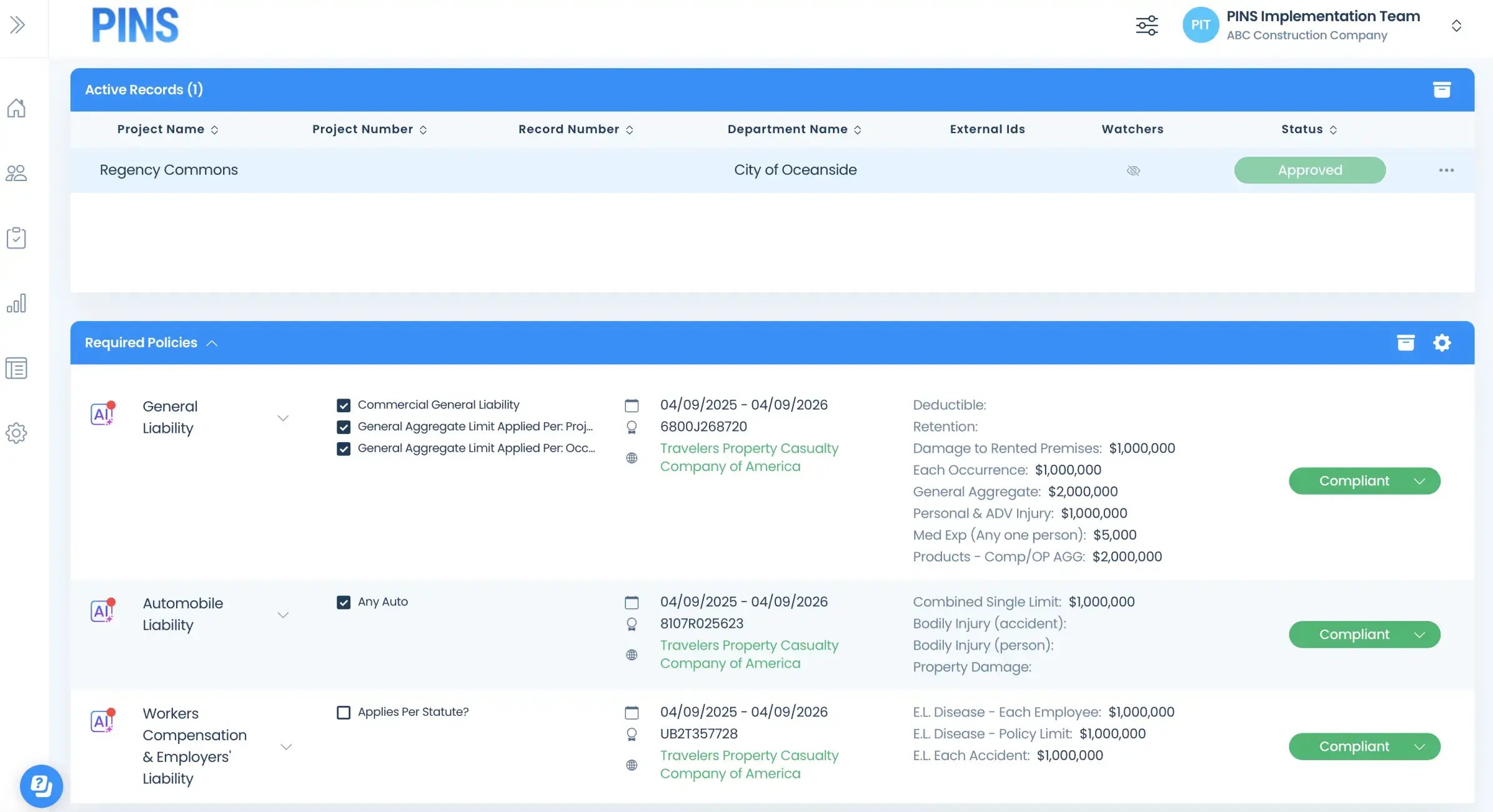
Insured Profile Page showing insurance policies in compliant status-1