COI Tracking Software

COI Tracking Software That Keeps Compliance In-House

Set your requirements once. PINS collects documents, calls out issues, and keeps renewals current, while your team controls approvals, waivers, and exceptions.


COI tracking software manages the collection, review, and renewal of certificates of insurance from vendors, subcontractors, and service providers. PINS automates the repetitive work: requests, reminders, and compliance checks. Your team stays in control of approvals, waivers, and exceptions.

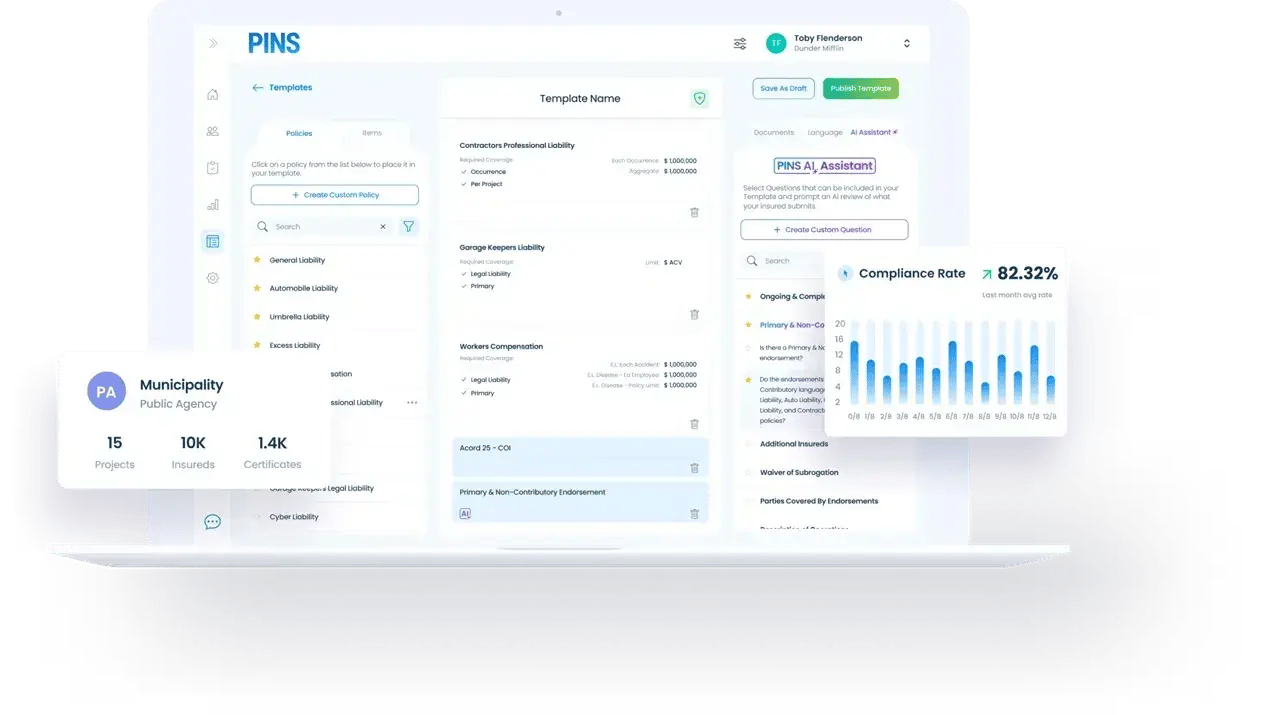
PINS COI tracking software dashboard showing coverage requirements, AI-assisted review, and compliance rate
Core Features

One system for COI collection, review, tracking, and renewals

Automated COI collection icon

Automated COI collection

Request COIs and supporting documents from vendors and brokers through a simple submission process that reduces manual chasing and back-and-forth.

AI-Assisted COI and endorsement review

PINS AI reads COIs and supporting documents, answers key coverage questions, and helps your team identify deficiencies faster.

Contract-specific insurance requirements

Set insurance requirements that match the actual job, contract, owner, or vendor relationship, including multiple requirement sets for the same vendor when needed.

Compliance tracking and deficiency management

Track missing coverage, expiring policies, and non-compliant submissions in one place so your team can act before issues delay work or create exposure.

Automated renewals and reminders

PINS sends renewal requests and reminder emails automatically, helping your team stay ahead of expirations without constant follow-up. Emails can also be sent from your company’s domain, so requests feel familiar and trusted to vendors and brokers.

More ways PINS fits your process

Approval and exception history icon

Approval, waiver, and exception history

Keep a clear record of approvals, waivers, notes, and prior decisions so renewals and audits do not require starting over.

Audit-ready records and reporting

Centralize communication history, compliance records, and reporting so your team can quickly prove status when owners, legal teams, or auditors ask.

Easy submission for vendors and brokers

Make it easier for third parties to upload COIs and supporting documents, helping reduce friction at the front end of the process.
How PINS Works

One Upload. Continuous Compliance.

AI reads the contract and builds the insurance requirements automatically. Emails are sent out requesting COIs and supporting documents from vendors and brokers.
Initial Setup

PINS sets requirements and sends requests

AI reads the contract, builds the insurance requirements, and automatically requests COIs and supporting documents from vendors and brokers.
Step 1

Vendor uploads documents

Vendors and brokers submit through a simple upload link. No login required.
Your team decides
Step 2

AI reviews. Your team approves.

PINS AI reviews each submission and identifies issues. Your team decides what happens next.
Step 3

PINS requests renewals

Automated reminders and follow-up requests keep compliance current. The cycle repeats at every renewal.
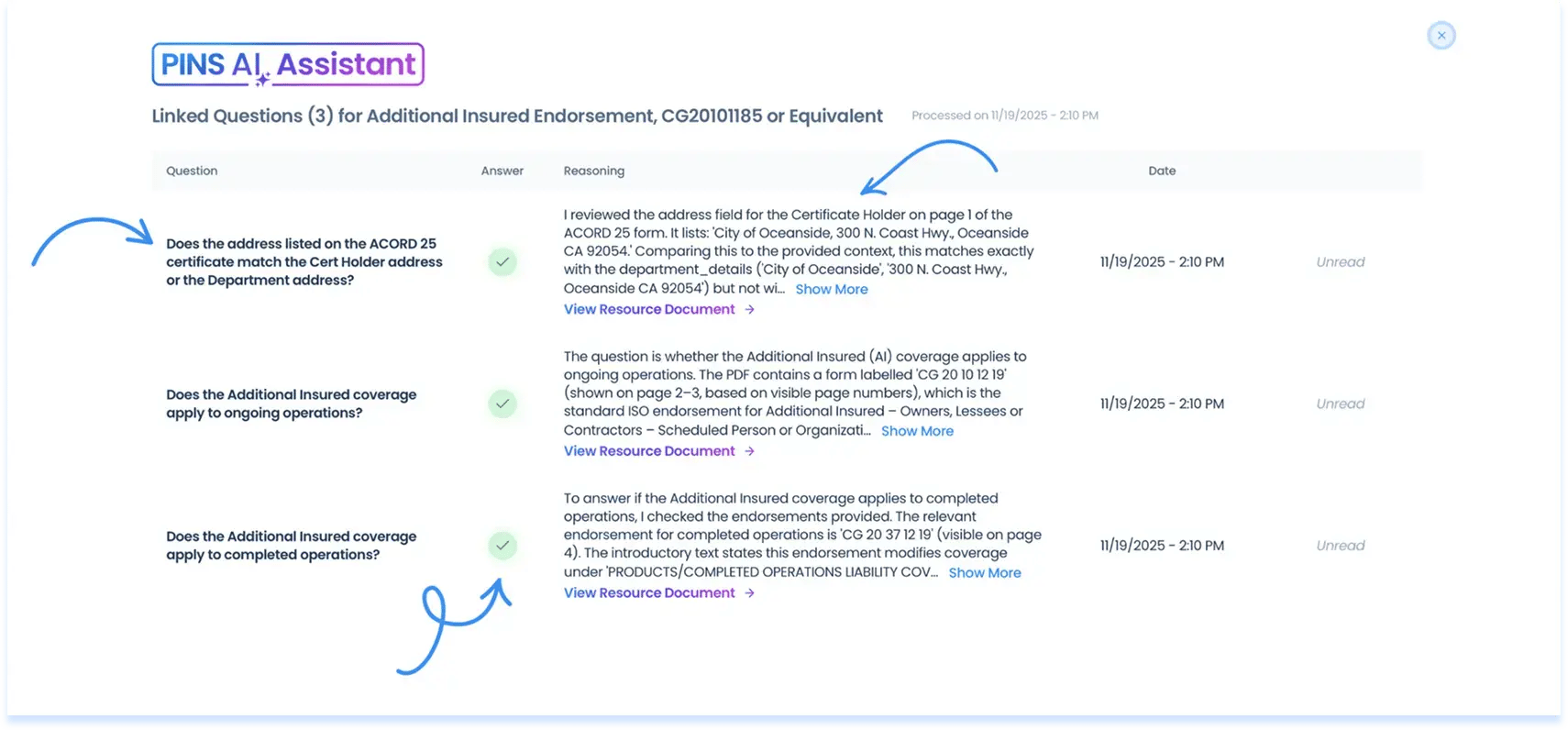
AI Assistant

AI review, built into your COI workflow

Set your requirements once. PINS AI reads each submission, answers coverage questions, and identifies what needs attention. Your team controls the final decision, our AI Assistant supports you.
  • Reads COIs, endorsements, and supporting documents
  • Identifies missing coverage, limits, and required language
  • Answers coverage questions with evidence and page references
  • Applies your review logic consistently across every submission
  • Call out issues that need human attention
  • Keeps your team in control of every approval decision

Why teams choose PINS

Keep control without the manual effort

Most teams end up choosing between doing everything themselves or handing off control to someone else. PINS gives you a third option.

Manual

You track COIs in a spreadsheet, the process is reactive, time-intensive, and hard to scale.

Full Service

You outsource COI review, but often lose speed, context, day-to-day visibility, and you’re always pulled back in to make exceptions.

Integrations

Integrates with systems you already use

PINS works alongside the platforms your team already relies on, helping you improve insurance compliance without forcing a full process reset.


Project teams see insurance status directly in Procore without logging into a separate system.
API
Connect PINS to your internal systems and workflows when you need more flexibility across platforms.
Support accounting and operational workflows with clearer compliance tracking tied to vendor records.

Testimonials

What customers say about PINS

See how teams use PINS to save time, improve compliance, and stay in control.
The thing I love most about PINS is everything. It used to take us 2 days to send expired notices, but now I literally press a button and get all my expired notices done within 5 minutes. Our experience with PINS Customer Service has been outstanding, you can’t beat it!
Cyndia Ryan
Risk Manager, C.W. Driver
PINS creates transparency, everyone is on the same page with compliance items. What used to take 3 people is now done by 1 person, which freed them up to take on other key initiatives like safety compliance and SDI programs.
Kendall Thornley
Sr Risk Specialist, Morley Builders
Training has been simple, and the PINS team is pleasant and easy to work with.

The email automation tools help us keep up with a large volume of subcontractor communications, and the AI assistant helps us review insurance documents more efficiently.

Plus the support team is always quick to respond to technical issues and questions.
Judy Anderson
Office Manager, Kemp Bros

FAQ

Common questions about COI tracking software

Get clear answers on how PINS works, what your team controls, and how the platform fits into your existing process.

What is COI tracking software?

COI tracking software manages the collection, review, and renewal of certificates of insurance from vendors, subcontractors, and service providers. It replaces manual spreadsheet tracking with automated requests, expiration monitoring, and structured compliance review so teams can stay ahead of coverage gaps without constant follow-up. For a full comparison of the top platforms, see Best COI Tracking Software in 2026.

What does PINS automate?

PINS automates certificate collection requests, expiration tracking, renewal reminders, and AI-assisted compliance review. When a vendor submits a COI or endorsement, PINS checks it against your requirements automatically and identifies areas for your team to review. Your team handles approvals, waivers, and exceptions -- PINS handles the follow-up and tracking that would otherwise sit in someone's inbox.

Does our team still control approvals and exceptions?

Yes. PINS is self-service software, not a managed service. Your team sets the requirements, reviews flagged issues, and makes every final compliance decision. Approvals, waivers, and exceptions are logged and tied to the vendor record so the history is there at renewal and audit time.

How does the AI insurance review work?

PINS AI reads submitted COIs, endorsements, and supporting documents against your coverage requirements. It calls out missing limits, incorrect endorsement language, and coverage gaps, and links its reasoning to the specific language in the document. Your team reviews the flag and decides what happens next. Nothing is auto-approved.

Can PINS work with Procore, Vista, or our internal systems?

Yes. PINS has native integrations with Procore and Viewpoint Vista. For Procore, commitments flow into PINS, compliance status appears in Procore, and project managers get a direct link into PINS from their project view. For Vista, PINS supports AP vendor and subcontract workflows and can write compliance status back to vendor records. An open API is available for other integrations.

How do vendors, subcontractors, or brokers submit insurance?

Vendors and brokers submit through a secure upload link. No account creation or login is required. PINS tracks the submission, checks it against requirements, and sends automated follow-up if documents are missing or non-compliant.

How long does it take to get started?

Most teams are live within a week. PINS handles the setup by building out your requirements and workflows based on your contracts and process. Your team reviews and approves everything before requests go out. Ongoing support is handled by the same team that runs your implementation.

Stop Reviewing.

Start Approving.

Schedule Demo
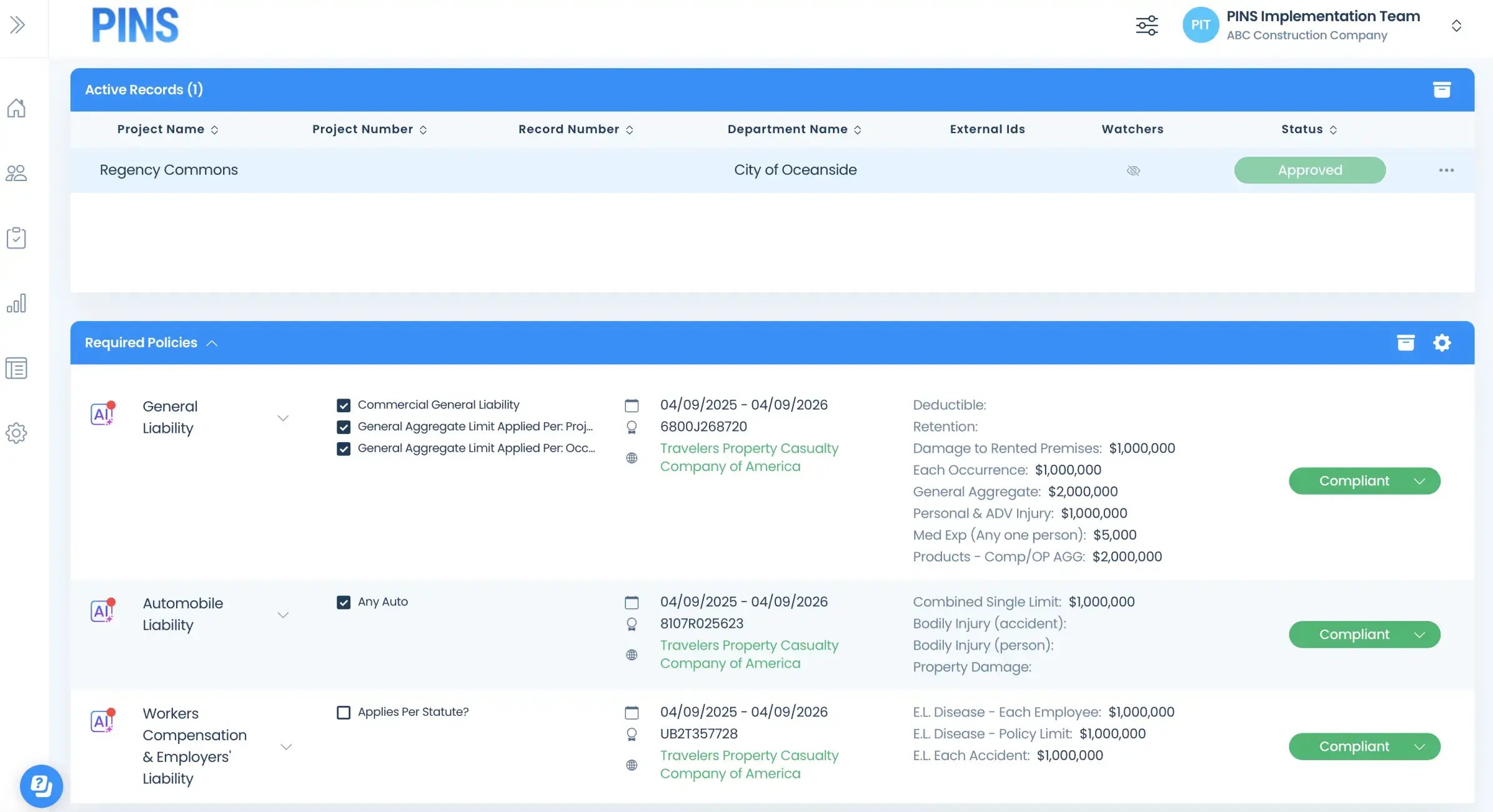
Insured Profile Page showing insurance policies in compliant status-1