Last updated: September 24, 2026
The AP compliance hold in Viewpoint Vista does exactly what it is designed to do. It checks vendor compliance status before releasing a payment and blocks payment when documentation has lapsed. That is a useful control.
The problem is that by the time the hold fires, the compliance exposure has usually been open for weeks. The certificate expired. Nobody was watching the expiration date. The subcontractor kept working. AP discovered the problem at payment time, not before it.
The hold is not a warning. It is a consequence. Understanding what causes it and what it costs is the starting point for building a compliance program that prevents it.
How Vista compliance holds work
Vista uses compliance codes to track vendor documentation requirements in AP workflows. There are two types:
Flag-type compliance codes track yes/no compliance status. When the code shows non-compliant, Vista blocks payment. Date-type compliance codes track expiration dates and block payment when a date has passed. Both types trigger a payment hold when the code shows the vendor is out of compliance.
The compliance codes are only as accurate as the last time someone updated them. Vista cannot collect a certificate from a subcontractor, review the endorsement language, or send a renewal reminder. Those tasks happen outside Vista: in email threads, spreadsheets, or a dedicated COI tracking tool. When that upstream work does not happen, the compliance code falls behind the actual coverage in place, and the hold fires when AP tries to process a payment.
What the hold actually costs
A Vista AP compliance hold is typically framed as a payment delay. The real cost is larger than that.
The exposure period. By the time the hold fires, the subcontractor has been working without current coverage for days or weeks. That period of uncovered work is already in the record. A workers comp audit that covers that period will treat it as uninsured payroll regardless of whether the certificate was eventually renewed. The hold did not prevent the exposure. It just made the exposure visible after the fact. For how this plays out at audit time, see How COI Tracking Protects You in a Workers Comp Audit.
The scramble. When a hold fires during a payment run, someone has to chase a certificate under time pressure. The project manager is calling. The subcontractor wants to know why their payment is delayed. The accounting team is waiting. The compliance team is trying to reach a broker who may or may not respond quickly. What should have happened 30 days ago is now happening under pressure in real time.
The relationship friction. A subcontractor who cannot get paid because of a compliance hold does not always know the hold is their responsibility. The conversation creates friction regardless of who is at fault, and on a long-term relationship that friction accumulates.
The audit exposure. If the lapsed period falls inside a workers comp policy year, the exposure does not disappear when the certificate is renewed. The carrier will find it at audit. The premium adjustment reflects the class code rate and the dollar amount paid to the sub during the gap. For heavy civil and specialty trades with high class code rates, the adjustment can be significant.
Why Vista was not built to prevent holds
Vista is the financial system of record for general contractors. It handles vendor records, subcontracts, job costs, and AP workflows with a level of depth and configurability that few ERPs match. Compliance status is part of that system, but only as a field in a database. Vista stores what someone puts in it.
Vista cannot send a renewal request to a subcontractor 30 days before their certificate expires. It cannot read the endorsement documents attached to a new certificate and verify that the additional insured language meets your contract requirements. It cannot follow up automatically when a vendor does not respond. The compliance code in Vista reflects the last manual update, not the current state of the vendor's insurance program.
COI collection, document review, and renewal tracking are what keep Vista's compliance codes current. That work does not happen inside Vista. When it runs reliably upstream, the hold never has a reason to fire.
Moving compliance upstream
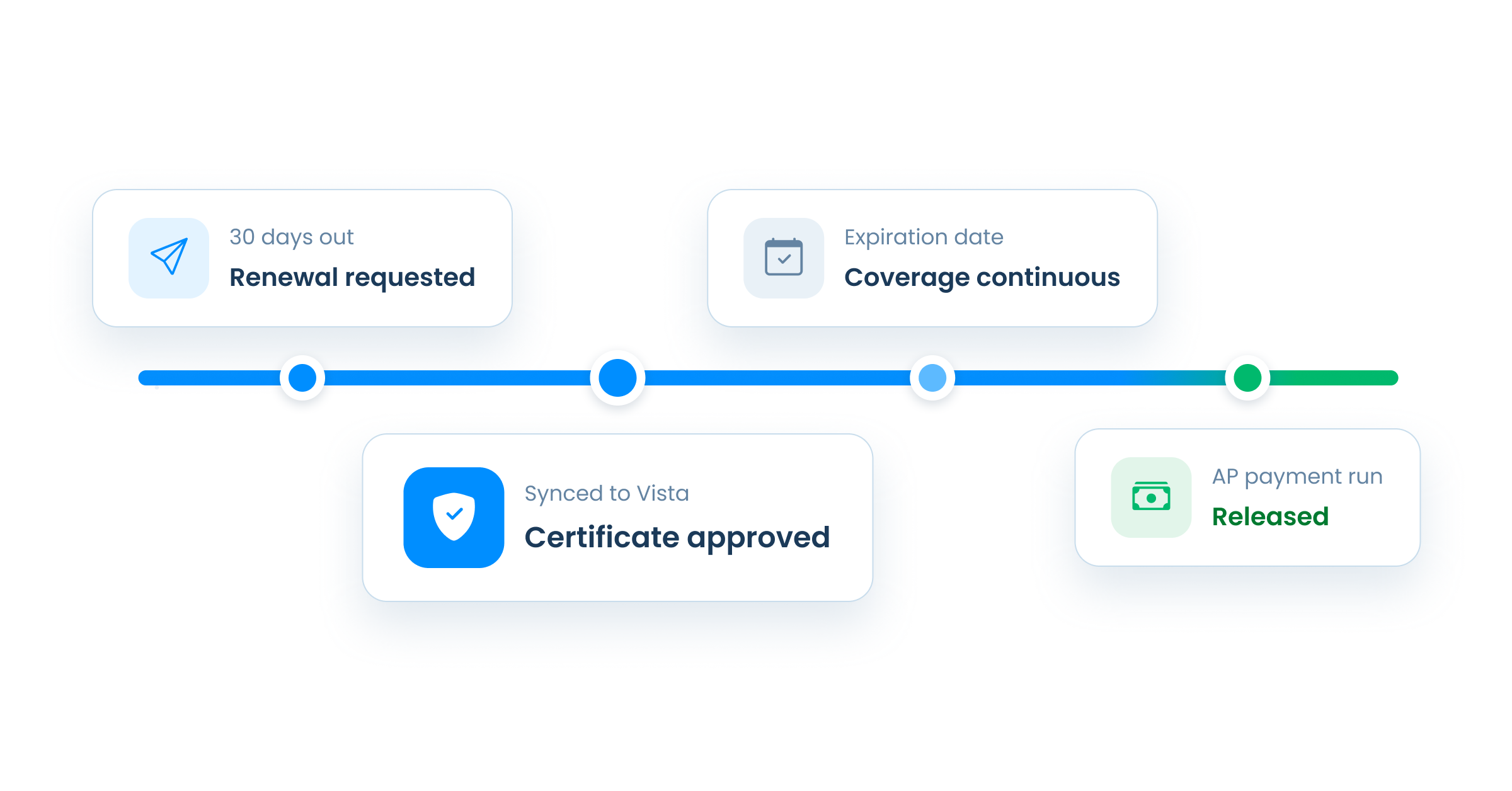
The AP hold stops being a surprise when the compliance work happens before the payment run rather than after it.
Expiration dates tracked automatically across every active vendor and subcontract. Renewal requests sent to the vendor and their broker before the policy lapses, not after. New certificates reviewed against your contract requirements when they arrive. Compliance status in Vista updated as soon as a submission is approved.
By the time AP runs payments, the compliance codes in Vista are current because a system upstream kept them current. The hold is still there as a last resort. It just stops firing as the first signal that something lapsed.
For how to build a renewal process that runs without manual follow-up, see How to Manage COI Renewals Without Chasing Vendors.
How PINS prevents AP compliance holds in Vista
PINS connects to Vista through the Trimble AppXchange marketplace. Vendor and subcontract data flows from Vista into PINS automatically. When a new vendor is added in Vista and flagged for PINS, the record appears in PINS without manual data entry on either side.
Renewal requests go out from PINS automatically before certificates expire. When a subcontractor or their broker submits a renewed certificate, the PINS AI Assistant reviews it against your configured requirements and returns findings with evidence linked to the specific language in the endorsement documents. Your team reviews the result and makes the approval decision.
When a submission is approved, PINS writes the updated compliance status back to Vista automatically. The write-back supports both flag-type and date-type compliance codes, at the AP Vendor level, the SL Subcontract level, or both. AP sees a current compliance status before the payment run. The hold does not fire because the status was never allowed to lapse.
PINS is available on the Trimble AppXchange marketplace alongside other Vista-compatible tools. Implementation is handled by a US-based PINS team. The same contact who configures your Vista compliance codes, maps your vendor data, and trains your team stays with your account after go-live.
For a full walkthrough of how the PINS and Vista integration works, see Viewpoint Vista COI Tracking: How PINS Keeps Compliance Current.
For a full list of questions to ask any COI tracking software vendor before you buy, download the COI Tracking Software Evaluation Checklist.
Frequently asked questions
How do I stop AP compliance holds in Viewpoint Vista?
AP compliance holds in Vista fire when a vendor's compliance code shows a lapse at payment time. The most reliable way to stop them is to keep compliance status current upstream of the payment run rather than discovering lapses at payment time. That means tracking expiration dates automatically across every active vendor, sending renewal requests before certificates lapse, reviewing new submissions against your contract requirements when they arrive, and writing updated compliance status back to Vista as soon as a submission is approved. COI tracking software connected to Vista through the Trimble AppXchange marketplace automates each of these steps so the compliance code in Vista stays current without manual updates.
What causes a compliance hold in Viewpoint Vista?
A compliance hold in Vista fires when a vendor's compliance code shows non-compliant or expired at payment time. Flag-type compliance codes track yes/no compliance status. Date-type compliance codes track expiration dates and block payment when a date has passed. The hold fires at the moment AP tries to process a payment, not at the moment the certificate actually lapsed. That means the vendor may have been working without current coverage for days or weeks before the hold became visible to anyone on the team.
What does a Vista AP compliance hold actually cost?
The direct cost is a delayed payment and the administrative time to resolve it. The broader costs are more significant. The subcontractor has been working without current coverage during the period between the lapse and the hold, which creates workers comp audit exposure that does not disappear when the certificate is eventually renewed. The compliance scramble creates friction with the subcontractor and the project team. And if the lapsed period falls inside a workers comp policy year, the carrier will find it at audit regardless of when the certificate was renewed. For how the audit exposure works specifically, see How COI Tracking Protects You in a Workers Comp Audit.
How does Vista compliance tracking work?
Vista uses compliance codes on vendor and subcontract records to track documentation requirements in AP workflows. Each compliance code can be configured as a flag type, which tracks yes/no compliance status, or a date type, which tracks an expiration date and blocks payment when the date has passed. When Vista processes a payment, it checks the compliance codes on the vendor record and blocks the payment if any code shows non-compliant or expired. The compliance codes need to be updated manually or through an integrated COI tracking tool that writes status back to Vista automatically when certificates are reviewed and approved.
Can COI tracking software prevent Vista AP compliance holds?
Yes, when it integrates directly with Vista through the Trimble AppXchange marketplace. COI tracking software connected to Vista pulls vendor and subcontract data from Vista automatically, handles certificate collection and renewal follow-up, and writes updated compliance status back to Vista's compliance codes when submissions are approved. The compliance code in Vista stays current because the upstream collection and review work is automated. AP sees a current status before the payment run rather than discovering a lapse through a payment hold.