Last updated: September 22, 2026
Vista Viewpoint is built to be the financial system of record for general contractors. Vendor records, subcontracts, job costs, and AP workflows all live there. Compliance status lives there too, but only as a flag on the vendor record that AP checks before releasing a payment.
What Vista was not built to do is manage the work that keeps that flag accurate. Collecting certificates from subcontractors. Reviewing endorsement language against contract requirements. Tracking expirations. Chasing renewals. That work happens outside Vista, in email threads, shared drives, and spreadsheets that nobody fully owns.
The result is predictable. An expired COI gets missed. AP discovers the hold when it is ready to process a payment. By then the subcontractor has been working without current coverage for weeks or months.
PINS connects to Vista through the Trimble AppXchange marketplace to close that gap.
What Vista does and what it does not do
Vista's compliance tracking does exactly what it is designed to do. It checks vendor compliance status in AP workflows and blocks payment when documentation has lapsed. Flag-type compliance codes track yes/no status. Date-type compliance codes store expiration dates and block payment when a date has passed. Both are genuinely useful controls.
The limitation is what Vista cannot do to keep those records accurate. Vista cannot collect the certificate from the subcontractor or their broker, review the endorsement language against your contract requirements, or send renewal reminders before a date-type code expires. The expiration dates in Vista have to be entered manually and kept current by someone on your team.
Without a system built to handle the collection and review side, that maintenance falls to whoever has time. The compliance codes in Vista are only as current as the last time someone manually updated them, which means the AP team is relying on manual updates to know whether or not payment can be released.
How the PINS and Vista integration works
PINS connects to Vista through the Trimble AppXchange marketplace using a compliance code created inside Vista's compliance setup. The integration runs in both directions.
From Vista to PINS: AP vendor records, project information, and subcontract data flow from Vista into PINS automatically. When a new vendor or subcontract is added in Vista and flagged for PINS, the record appears in PINS without manual data entry on either side.
From PINS to Vista: Once PINS has reviewed a submission and your team has approved it, compliance data writes back to Vista. The write-back supports both flag-type and date-type compliance codes. Flag codes update as a yes/no compliance status. Date codes update with policy expiration dates. You can use one or both depending on how your Vista compliance setup is configured. The write-back covers AP Vendor Compliance, Subcontract Compliance, and Purchase Order Compliance fields.
The collection and review workflow: Once a vendor record is in PINS, your team sends an insurance request directly from PINS. The vendor or their broker submits the certificate, endorsements, and any other required documents through a secure upload link with no login required. The PINS AI Assistant reviews each submission against your configured requirements and returns findings with evidence linked to the specific language in the document. Your team reviews the result and makes the approval decision. When the submission is approved, Vista updates automatically.
Compliance code setup: For teams that previously used multiple compliance codes in Vista to track different coverage lines or expiration dates separately, PINS can consolidate those during implementation. Most teams move to a single compliance code, typically "PINS," that tracks overall yes/no compliance status in Vista, with the underlying detail living in PINS. That simplifies the Vista side while giving your compliance team the granular view they need inside PINS.
AP Vendor and Subcontract level integration
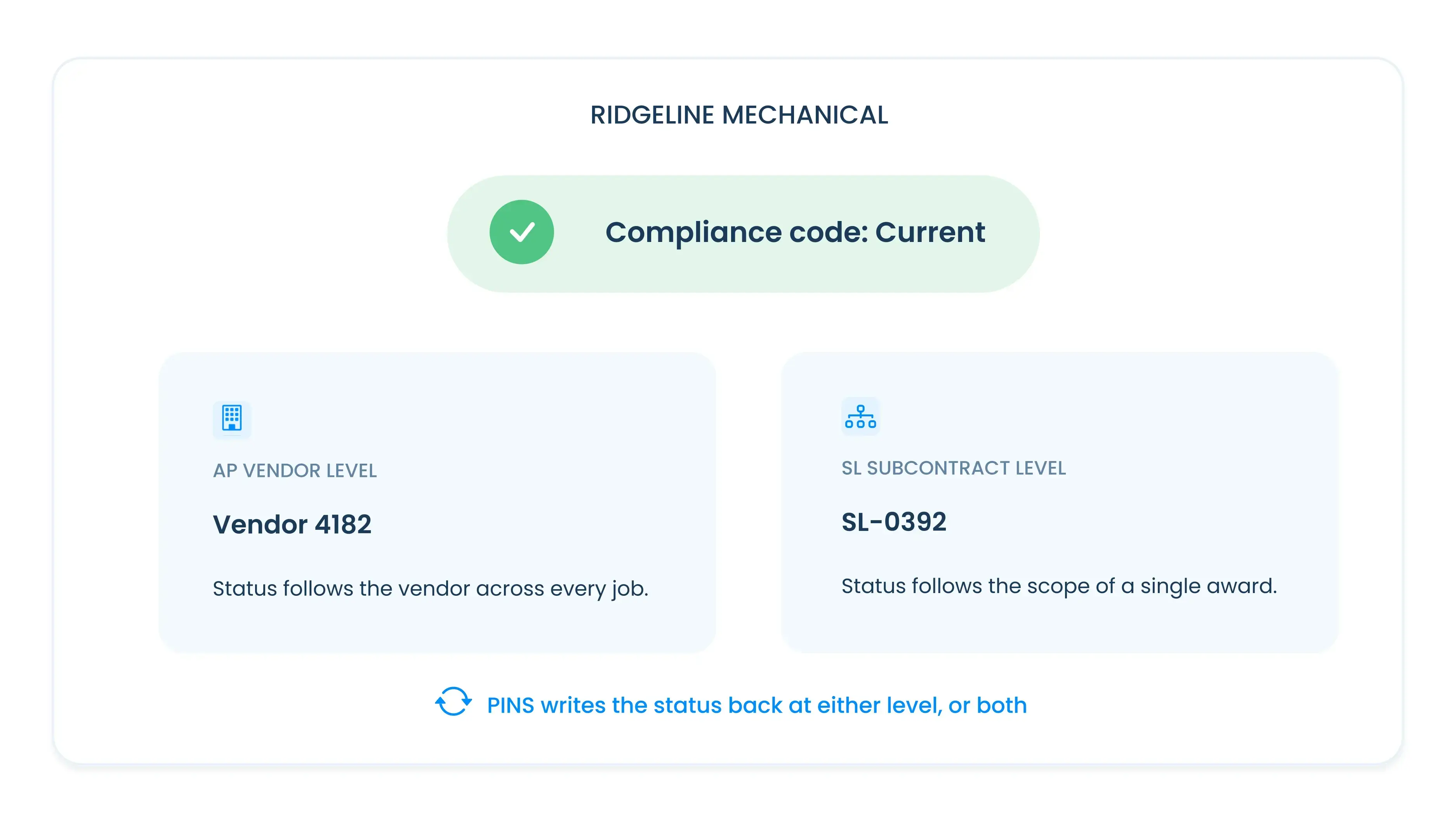
The PINS Vista integration works at two levels, and you can configure which one fits your program.
AP Vendor level: Compliance status is tracked at the vendor record in Vista. One insurance record in PINS covers the vendor relationship across all jobs. When the vendor's status updates in PINS, it rolls up to the AP Vendor compliance field in Vista. This works well for vendors who carry the same requirements regardless of which project they are on.
Subcontract level: Compliance is tracked at the individual subcontract level. Each subcontract in Vista maps to a separate record in PINS with its own requirements, submissions, and compliance status. When a subcontract is approved in PINS, that specific subcontract's compliance field in Vista updates. This is the right configuration for GCs whose requirements vary by project, project type, or contract value.
The cascade option: If you integrate at the AP Vendor level, compliance status can flow down automatically to all subcontracts associated with that vendor in Vista. This reduces the administrative overhead of managing compliance at both levels when the vendor-level status is what matters most.
Why endorsement review matters in a Vista environment
Vista's compliance flag is only as good as the review that set it. A flag that says "compliant" based on a certificate that was collected but not reviewed against contract requirements is not a reliable compliance indicator. It is a filing confirmation.
The specific gap most Vista teams have is endorsement review. A certificate can show the right coverage types and limits while the endorsements attached to the policy do not meet your contract requirements. Additional insured status, primary and non-contributory language, and waiver of subrogation all need to be verified in the endorsement documents, not confirmed on the certificate face.
When PINS sets a vendor's compliance status to approved and writes it back to Vista, that status reflects a review of the certificate and the endorsement documents against your specific contract requirements. The compliance flag in Vista means something because the review behind it is thorough.
Keeping Vista's compliance status current before AP holds payment
The most common Vista compliance problem is not a missing certificate. It is a certificate that was collected at project start, approved at the time, and then allowed to lapse because nobody tracked the expiration or sent a renewal request.
PINS tracks expiration dates across every active vendor and subcontract. Renewal requests go out automatically at the intervals you configure. If the vendor does not respond, follow-up reminders continue. Your team gets notified when a renewal is overdue.
When a renewed certificate comes in, PINS reviews it against your requirements and your team approves it. The updated compliance status writes back to Vista. AP sees a current flag before the payment queue, not after the block payment notice.
For a deeper look at building a renewal process that runs without constant chasing, see How to Manage COI Renewals Without Chasing Vendors.
How PINS connects to Vista
PINS COI management software is available on the Trimble AppXchange marketplace. The integration connects Vista's AP vendor and subcontract records to PINS' COI collection, endorsement review, and renewal tracking workflow. Compliance status writes back to Vista automatically when your team approves a submission.
Implementation is handled by the PINS team. The same implementation contact who configures your requirements, maps your Vista data, and trains your team stays with your account after go-live.
For teams using both Procore and Vista, PINS integrates natively with both systems. Construction contractors, including heavy civil and general contractor teams, can see how PINS fits their subcontractor compliance workflow.
For heavy civil contractors running on Vista, see COI Tracking for Heavy Civil Contractors.
For a deeper look at what AP compliance holds actually cost and how to stop them before they fire, see Vista AP Compliance Holds: Why They Fire and How to Stop Them.
Frequently asked questions
How does COI tracking integrate with Vista Viewpoint?
COI tracking software connects to Vista through the Trimble AppXchange marketplace using a compliance code created inside Vista's compliance setup. Vendor and subcontract records flow from Vista into the COI tracking platform. Once a vendor's certificate is collected and reviewed, compliance data writes back to Vista. The write-back supports flag-type codes that update as a yes/no compliance status and date-type codes that update with policy expiration dates. AP teams see current compliance status inside Vista without logging into a separate system.
Can PINS integrate with Vista Viewpoint?
Yes. PINS connects to Vista through the Trimble AppXchange marketplace. The integration pulls AP vendor, project, and subcontract data from Vista into PINS, and writes compliance status and policy expiration dates back to Vista when submissions are approved. The write-back covers AP Vendor Compliance, Subcontract Compliance, and PO Compliance fields and supports both flag-type and date-type compliance codes. PINS also integrates natively with Procore for teams using both systems.
What does Vista track versus what does PINS track?
Vista tracks compliance status and expiration dates on vendor and subcontract records using flag-type and date-type compliance codes, and uses those codes in AP payment workflows. The codes are accurate when they are maintained, but Vista was not built to collect certificates, review endorsement language, or send renewal reminders. Keeping Vista's compliance codes current requires someone to manually update them as new certificates come in and policies renew. PINS automates that maintenance by handling collection, review, and renewals, and writing the updated status and dates back to Vista automatically.
What is a Vista compliance code and how does PINS use it?
A compliance code in Vista is a field used to track vendor documentation requirements in AP workflows. When Vista checks whether a vendor is compliant before releasing a payment, it checks the status of the relevant compliance codes on the vendor record. PINS creates a dedicated compliance code inside Vista's compliance setup during implementation. Vista supports both flag-type compliance codes that track yes/no status and date-type codes that track policy expiration dates. PINS can write back to either or both depending on how your compliance codes are configured. Teams that previously used multiple compliance codes to track different coverage lines can consolidate to a single PINS compliance code during implementation, with the coverage detail living inside PINS.
How does PINS help prevent AP compliance holds in Vista?
AP compliance holds in Vista fire when a vendor's compliance status shows a lapse at payment time. The hold is a useful control, but by the time it fires, the coverage gap has usually been open for days or weeks. PINS prevents the gap from opening in the first place by tracking expiration dates, sending renewal requests automatically, and writing updated compliance status to Vista as soon as a renewed certificate is approved. The AP hold becomes a last resort rather than the first signal that something lapsed.