Last updated: September 10, 2026
The warning signs that matter are not the obvious ones. Most teams know when a certificate of insurance is missing entirely. The risky COI process shows itself in subtler ways: in how you find out about a problem, how late you find out, and what you cannot prove when it matters.
None of the signs below require a crisis to appear. They are present in programs that look functional from the outside. Teams are collecting certificates, tracking vendors, and managing renewals. But the process has gaps, and those gaps have specific consequences that show up during audits, when there is a claim, or when an owner asks for documentation.
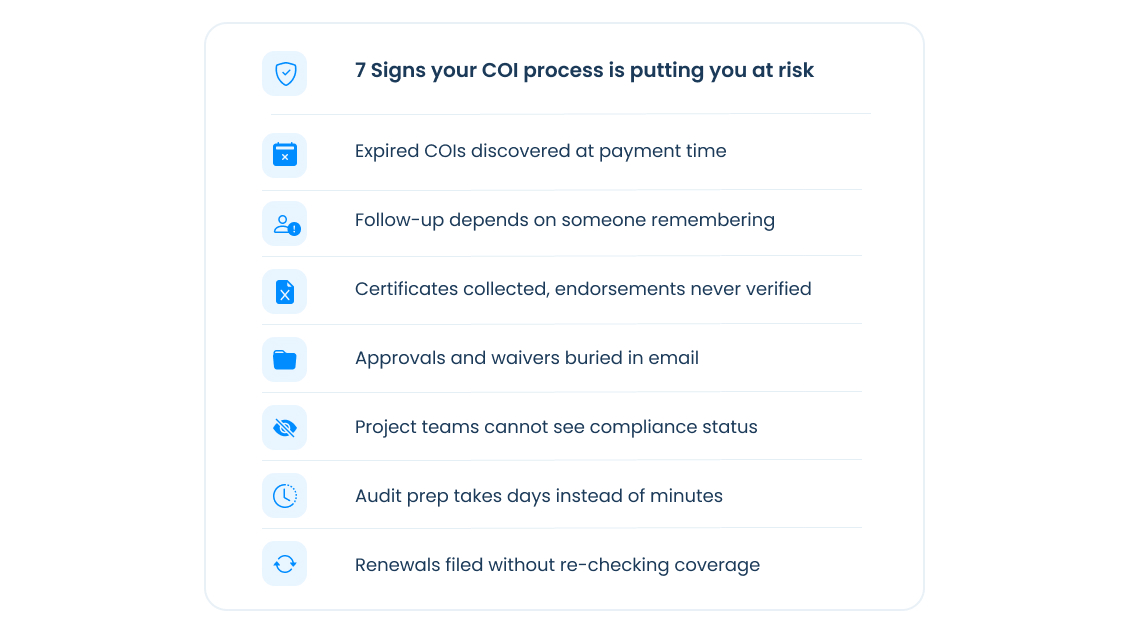
Here are seven signs that your COI process is putting your organization at risk.
Sign 1: You discover expired COIs at payment time, not before
Accounts Payable is ready to process payment but the certificate expired three weeks ago. Nobody noticed because no one was tracking the expiration date between collection and renewal.
By the time payment is held, the subcontractor has been working without current coverage for weeks. If a workers comp audit covers that period, the expired certificate does not protect you, instead the auditor will treat those weeks as uninsured payroll and adjust your premium accordingly.
A compliance program that discovers lapses at payment time is a reactive program. The payment hold is a useful last resort. It should not be the first signal that something lapsed. For how this plays out specifically in a workers comp audit, see How COI Tracking Protects You in a Workers Comp Audit.
Sign 2: Your compliance status depends on someone remembering to follow up
If the renewal reminder goes out because someone on your team noticed the expiration date on a spreadsheet, your compliance program is one busy week away from exposures.
That someone gets pulled onto a project or goes on vacation. The reminder does not go out. The vendor does not renew. The certificate lapses. Nobody finds out until payment is ready to be processed or until an auditor asks.
Manual follow-up is not a compliance program. It is a dependency on individual attention in an environment that competes for it constantly. The moment the person responsible has a higher priority, the follow-up stops. For how to build a renewal process that runs without that dependency, see How to Manage COI Renewals Without Chasing Vendors.
Sign 3: You collect certificates but do not verify endorsement language
A certificate on file is not the same as coverage that meets your contract requirements.
The ACORD 25 form shows coverage types and limits. It does not confirm that the endorsement language matches what your contract requires. A certificate can show additional insured status without the endorsement conveying it in the right form. A waiver of subrogation checkbox on the certificate does not confirm that the waiver applies to both GL and workers comp. A primary and non-contributory notation does not confirm the language is present in the endorsement document.
The exposure shows up at claim time. The certificate looked fine. The endorsement did not hold up. Your carrier is now contributing to a loss it should not have been part of.
Verifying additional insured endorsement language, primary and non-contributory wording, and waiver of subrogation requires reading the endorsement documents, not confirming a checkbox on the certificate.
Sign 4: You cannot answer what was approved, waived, or excepted without searching through emails
An owner asks for documentation showing that a specific subcontractor was compliant during a project. Your team starts searching through inboxes and shared drives. The answer is somewhere, either in an email thread, a comment in a spreadsheet, or a message from a project manager three months ago.
This is not an audit-ready program. It is a filing system.
Every compliance decision; approvals, rejections, waivers, and exceptions; needs to be documented with who made the call and when. Not because auditors show up every year, but because the documentation is what makes the decision defensible. A compliance program that cannot reconstruct its own history is one discovery request away from significant exposure.
Sign 5: Vendors submit certificates and you never check if the coverage changed at renewal
A subcontractor renews their general liability policy. Their carrier issues a new policy with slightly different endorsement language. The new certificate arrives and your team logs that a renewal came in. Nobody reads the new endorsement.
Mid-term cancellations, carrier switches, and limit reductions go undetected the same way. The certificate on file reflects the original policy. What is actually in place may be different.
COI collection is step one. Reviewing the renewed certificate against your requirements is step two. Both are required. A program that treats renewal as a filing task rather than a review task creates compliance gaps that look closed on paper.
Sign 6: Your project teams do not know if a sub is compliant before they show up on site
A project manager needs to know if a roofing subcontractor is cleared to start work on Monday. They email the compliance team. They wait. Work was supposed to start at 7am.
This scenario plays out constantly in organizations where compliance status lives in a separate system that project teams cannot access. The compliance team knows. The project team does not. The communication gap creates delays, workarounds, and situations where work starts before compliance is confirmed.
When compliance status lives where project teams already work, either in Procore, in a shared dashboard, or in a system they check every day, the question gets answered without anyone having to ask. See COI and Compliance Tracking for Procore for how PINS surfaces compliance status inside Procore so project managers do not need to ask.
Sign 7: Audit prep takes days instead of minutes
Annual insurance audit season arrives. Your team starts pulling certificates, tracking down renewal documentation, reconstructing approval history, and assembling the compliance record for the policy year.
This takes days because the information was never organized for retrieval. It lives across email threads, shared drives, and manual logs that were built for tracking, not for reporting.
A compliance program that is audit-ready does not scramble when the auditor arrives. The certificates are organized by vendor and project. The renewal requests and follow-up are documented. Every approval decision is logged with who made it and when. The report takes minutes, not days.
If any of these signs are familiar, the gap between where your program is today and where it needs to be is probably smaller than it feels.
Where your COI process stands today
The seven signs above describe a spectrum of risk, not a binary pass or fail. Most programs have some version of two or three of them. Enough to create real exposure without the process feeling broken.
The PINS COI Risk Assessment takes five minutes and returns a score that tells you where your program stands and where the gaps are most likely to cost you.
If you are evaluating software, download the COI Tracking Software Evaluation Checklist for 22 questions to bring into every demo.
How PINS addresses each sign
PINS is built for teams that want to address these risks without outsourcing compliance decisions. Renewal requests go out automatically before policies lapse. The PINS AI Assistant reviews submitted endorsements against your contract requirements and returns findings with evidence linked to the specific language in the document. Your team reviews the result and makes every approval, rejection, waiver, and exception decision. Every decision is logged.
When the auditor asks for documentation, the record is already there. When a project manager needs to know if a sub is compliant, they can search from the Reports page. When a certificate renews, the new endorsements are reviewed against the same requirements as the original.
Frequently asked questions
What are the signs of a risky COI process?
The most common signs are discovering expired certificates at payment time rather than before they lapse, relying on manual follow-up that stops when someone is busy, collecting certificates without verifying endorsement language against contract requirements, being unable to reconstruct compliance decisions without searching through emails, and taking days rather than minutes to prepare for an annual audit. Each sign has a specific financial or legal consequence that shows up at claim time, audit time, or when an owner requests documentation.
Why is collecting certificates not enough for COI compliance?
Collection confirms that a certificate was received. Compliance requires verifying that the certificate and its supporting endorsement documents meet your specific contract requirements. A certificate can show additional insured status without the endorsement language satisfying what your contract requires. A waiver of subrogation checkbox on the certificate does not confirm the waiver covers both GL and workers comp. Without reviewing the endorsement documents against your requirements, collection is a filing exercise, not a compliance program.
How do expired COIs affect a workers comp audit?
If a subcontractor's certificate of insurance expired during the policy period and you cannot produce a current certificate covering that gap, the carrier will typically treat what you paid the subcontractor as your own payroll during that period. That amount gets added to your premium calculation at the applicable class code rate. Mid-project lapses that go undetected until audit time are among the most common sources of unexpected workers comp premium adjustments.
What does an audit-ready COI process look like?
An audit-ready COI process logs every compliance decision; approvals, rejections, waivers, and exceptions; with a timestamp and the name of the person who made it. Certificates are organized by vendor and project. Renewal requests and follow-up are documented. When an auditor or owner asks for the compliance record for a specific vendor or project period, the information is retrievable in minutes rather than days. The audit does not require reconstructing history from emails and shared drives.
How do I know if my COI process is putting my organization at risk?
The fastest way is to answer five questions: Do you discover expired certificates before or after they lapse? Can you verify endorsement language against your contract requirements, or do you collect and file? Can you reconstruct every compliance decision from the past year without searching through emails? Do your project teams have access to current compliance status without asking the compliance team? Would an annual audit take minutes or days to prepare for? If any of those questions expose a liability, the risk is real even if nothing has gone wrong yet.